
Quick Summary
To rebook a parcel on EasyParcel SG, log in to your account and navigate to 'Manage Parcel' > 'All Parcel'. Locate the shipment that requires a new collection and click the 'Rebook' button. This allows you to select a new pickup date or even switch to a different courier if needed. Rebooking is the most efficient way to handle a missed collection without having to manually re-enter all the shipment and receiver details from scratch.
How to rebook a parcel?
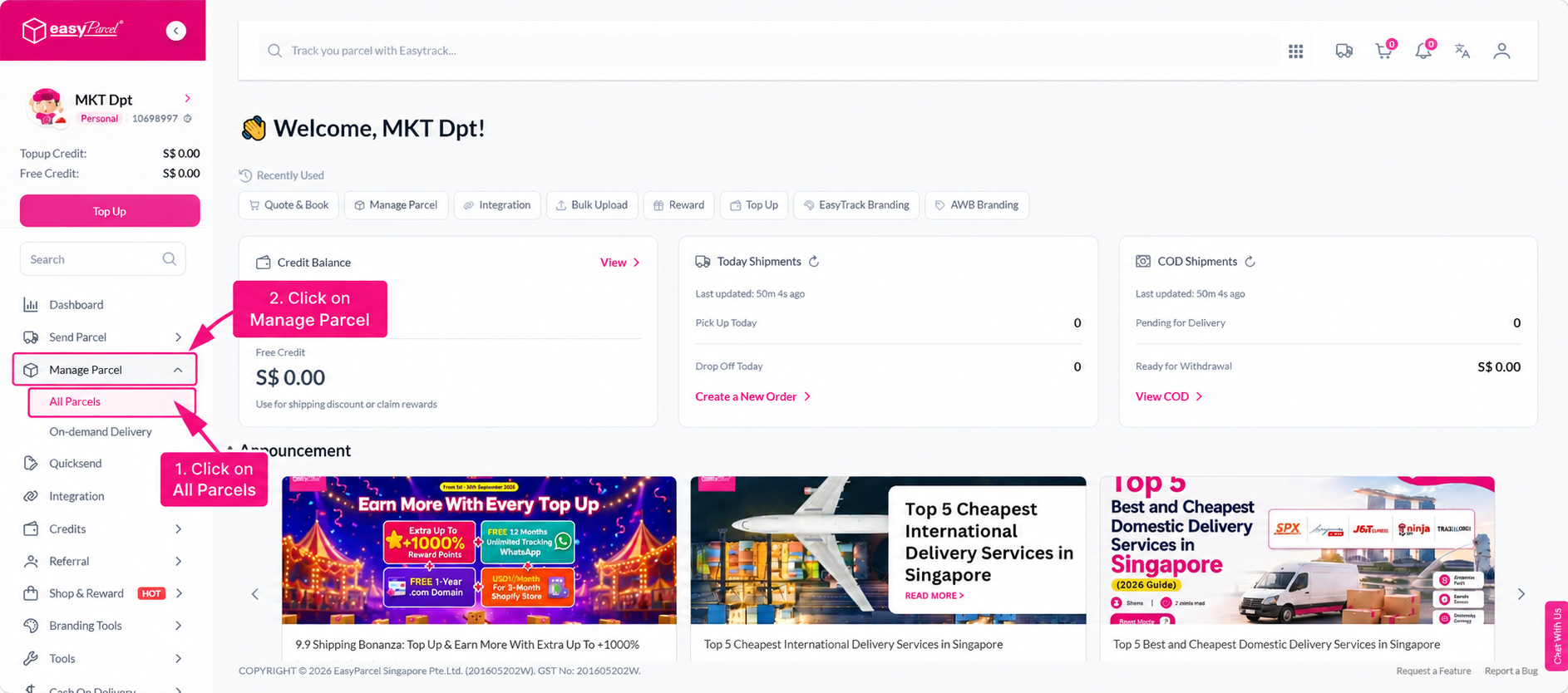
Step 1: Head over to the dashboard and go to "Manage Parcel". From there, click on "All Parcel".
Step 2: Click on “Rebook Parcel".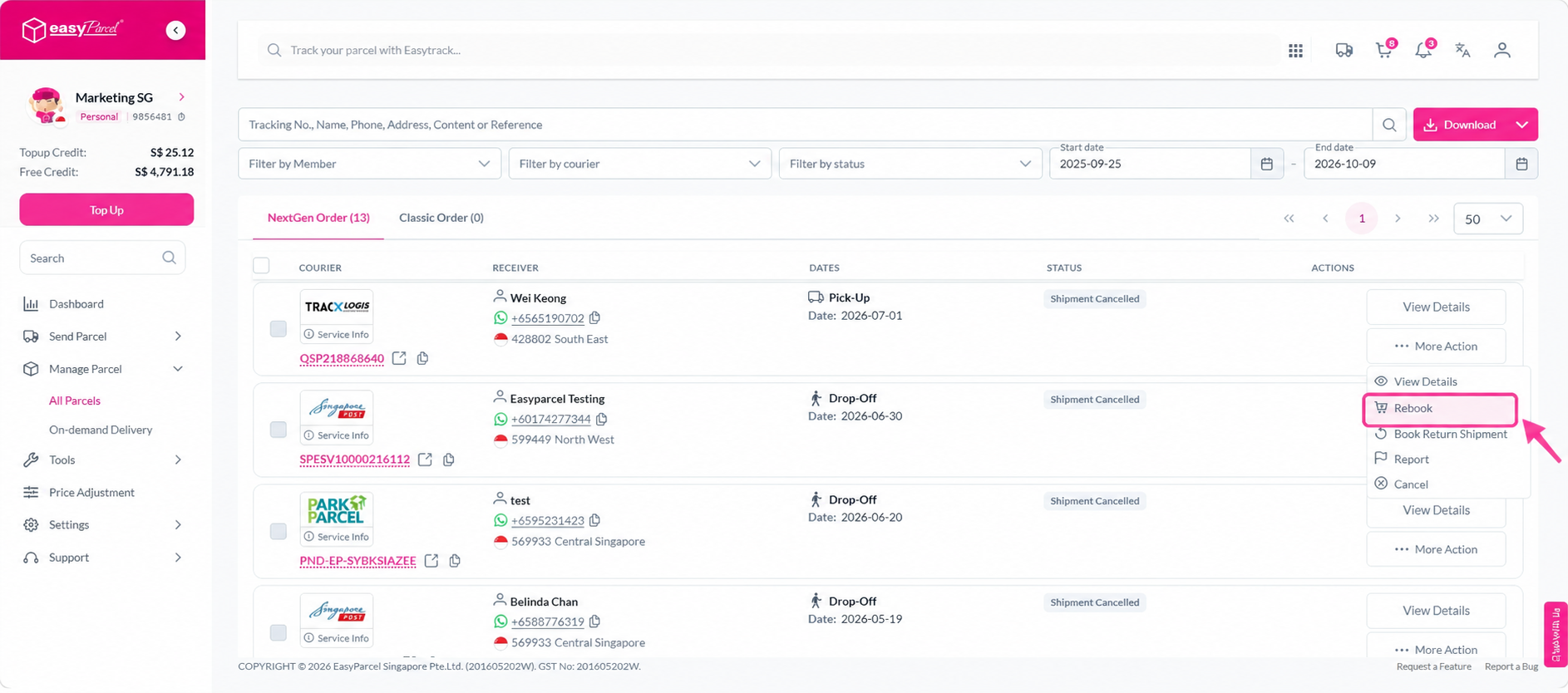
Step 3: You will then be redirected to the page to edit the information. After complete checking and fill in the information, you may proceed to check out and obtain a new airway-bill.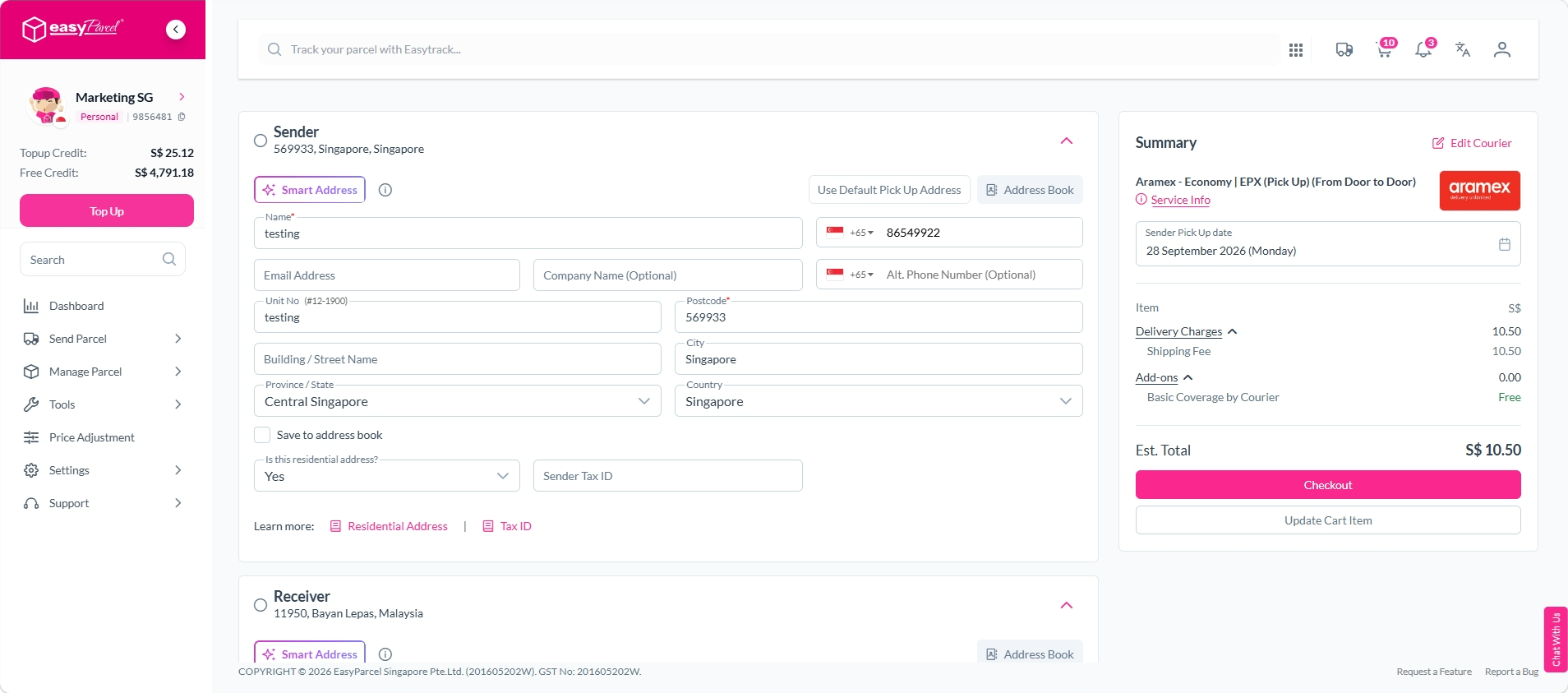
When would you need to use the rebook function?
- Parcel has missed pick up and user would not like to wait. You may opt to switch to a different courier via rebooking.
- Parcel is to return back to sender so a duplicate order is created.
- Or you would like to resend a parcel to same receiver.