
Quick Summary
In Setting, fill in your sender details, choose your tracking notifications and set how the parcel value is worked out.
We'll Cover:
- Sender details
- Tracking notifications
- On-Demand Map Provider (optional)
- Order and AWB preferences
- Parcel value
Sender details
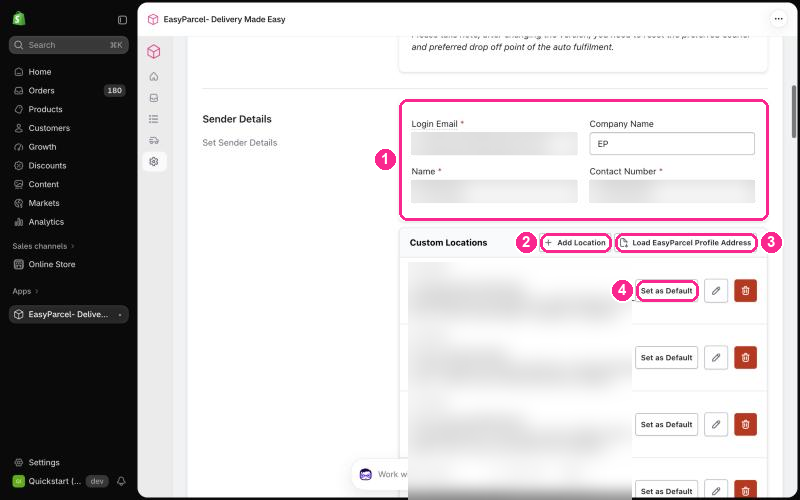
Scroll down on the Shipping Setting tab. Fill in Login Email, Name and Contact Number (required) and your Company Name. Couriers may call this number before a pick-up.
| Button | What it does |
| Add Location | Add a pick-up address manually |
| Load EasyParcel Profile Address | Use the address saved in your EasyParcel account |
| Load Location | Use your Shopify locations |
| Set as Default | Make it your main shipping-from address |
Fill in your Sender Details (1). Use Add Location (2) or Load EasyParcel Profile Address (3), then click Set as Default (4) on your main address.
More detail: How do I add and manage my pick-up locations? · Where do my Shopify parcels ship from?
Tracking notifications
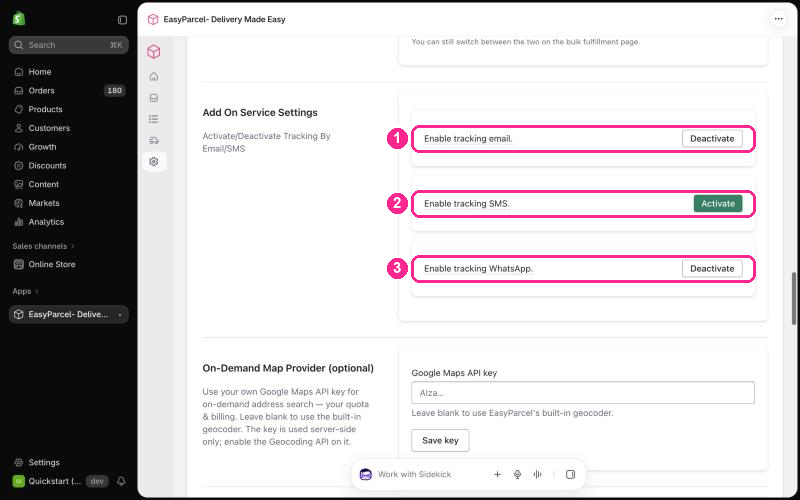
Under Add On Service Settings, click Activate for tracking email, SMS or WhatsApp. These add-ons may carry an additional charge. Click Deactivate to turn them off.
The options are Enable tracking email (1), Enable tracking SMS (2) and Enable tracking WhatsApp (3).
More detail: How do I turn on tracking SMS, email and WhatsApp in the Shopify app?
On-Demand Map Provider (optional)
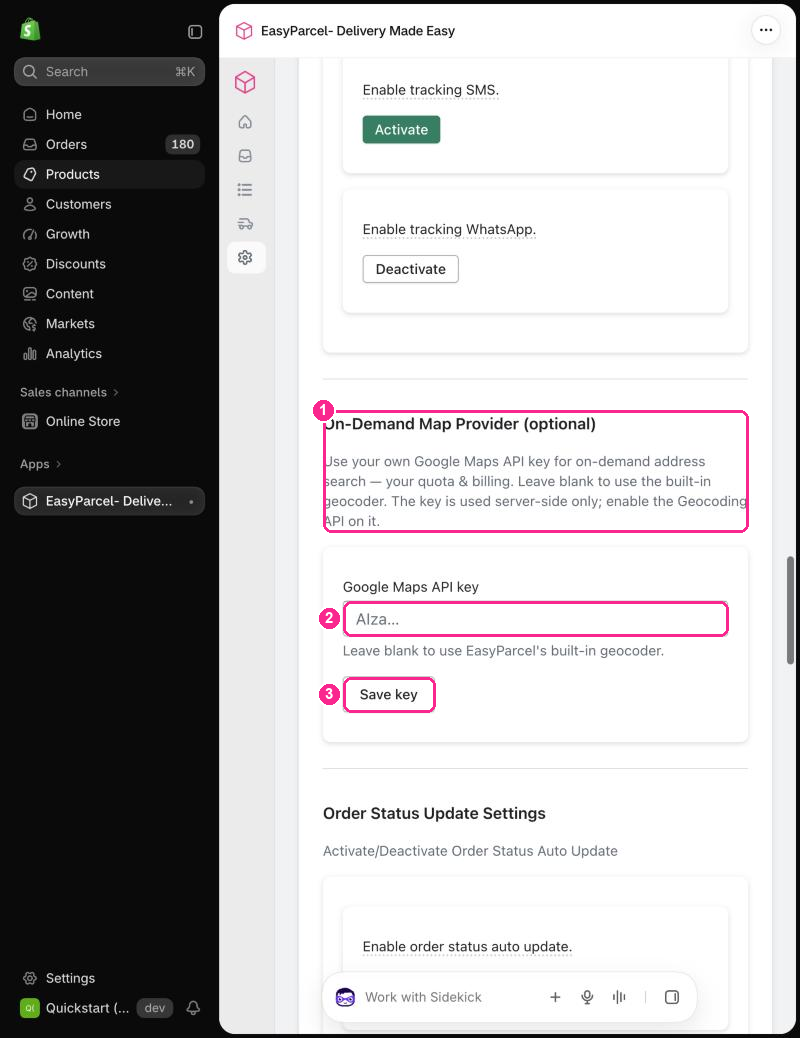
This is optional, and most sellers can skip it. The app already has a built-in address search for On-Demand delivery.
If you want to use your own Google Maps API key instead, paste it into Google Maps API key (2) and click Save key (3). The section is marked (1).
Good to know
- The key uses your own Google quota and billing.
- Turn on the Geocoding API for your key.
- Leave the field blank to keep using EasyParcel's built-in address search.
Order and AWB preferences
| Setting | What it does |
| Order Status Update | Updates your Shopify order status as parcels move |
| AWB Link Update | Adds the AWB download link to the order note attributes |
| Packing List | Turns on packing lists |
| Order Number On AWB | Prints the order number on the AWB |
| Shipping Label Rename | Turns on label renaming |
Turn on Enable order status auto update (1) and Enable AWB Link Update Setting (2).
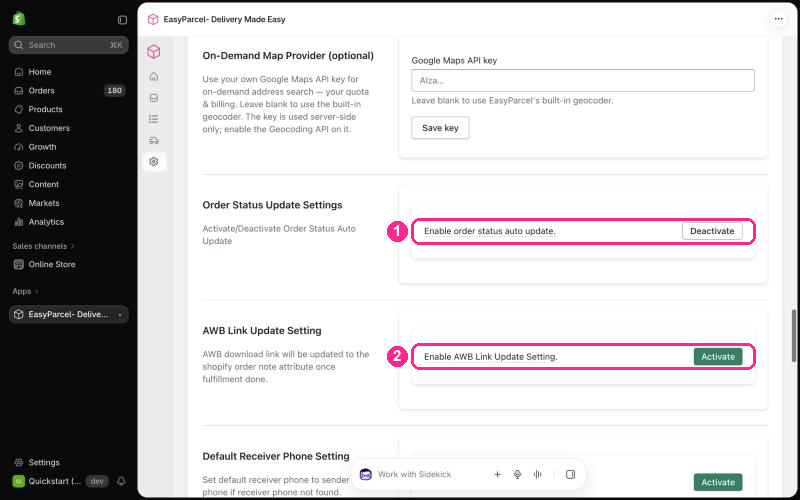
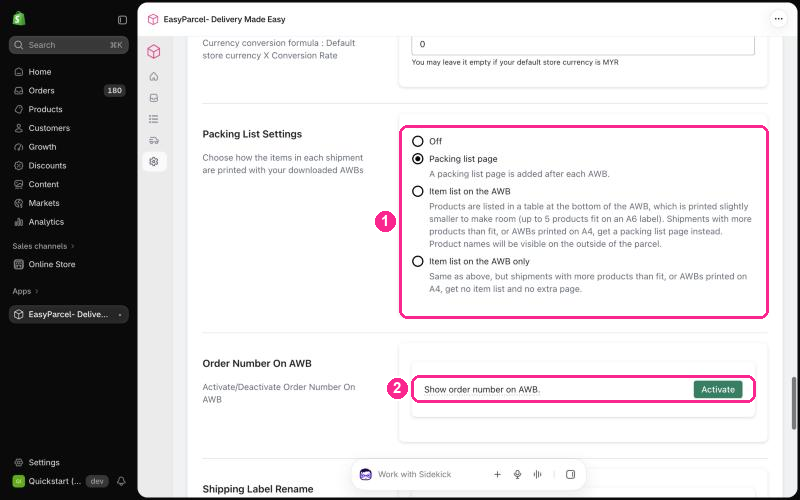
Choose how items are printed in Packing List Settings (1), and turn on Show order number on AWB (2).
More detail: How do I update Shopify order status and AWB link automatically? · How do I print the order number on the AWB and rename the shipping label?
Parcel value
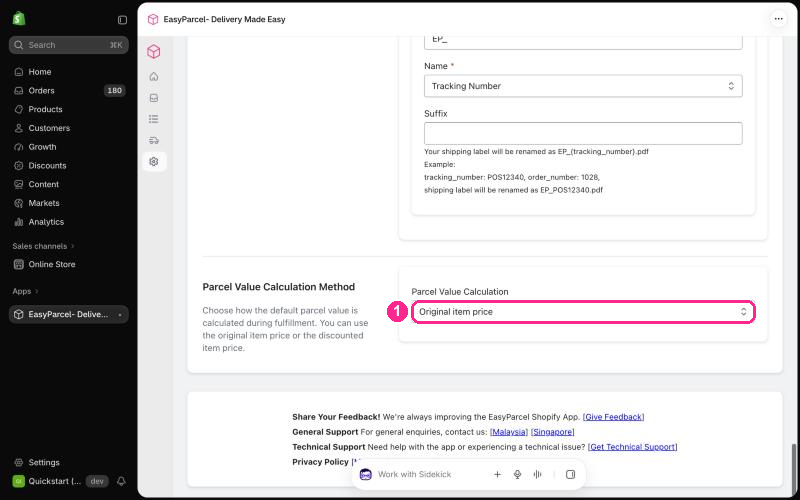
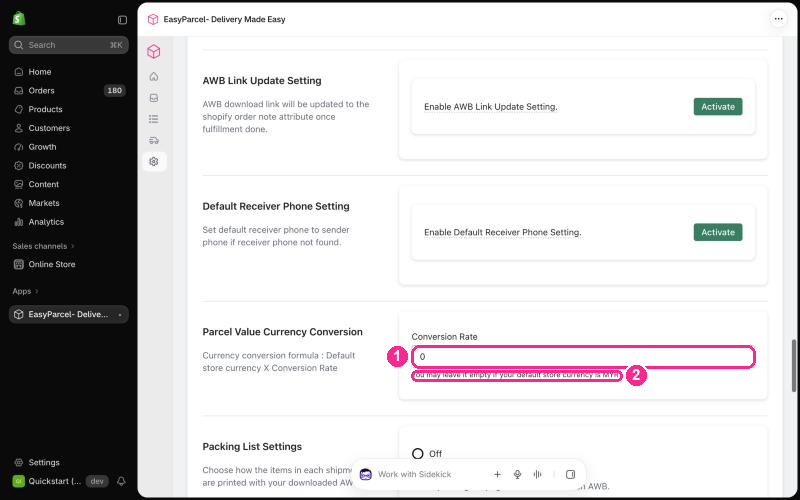
Choose Original item price or Discounted item price as the default declared value. If your store sells in another currency, enter a Conversion Rate: account currency x conversion rate. Leave it empty if your store uses your account currency.
Choose the default in Parcel Value Calculation (1).
Enter a Conversion Rate (1) only if your store sells in another currency. The note (2) shows when you can leave it empty.
More detail: How do I set the parcel value in the Shopify app? · How do I convert my store currency to my account currency?
What's next?
Still need help?
Our team is happy to help. ? Live Chat | ✉️ Contact Us
