
Quick Summary
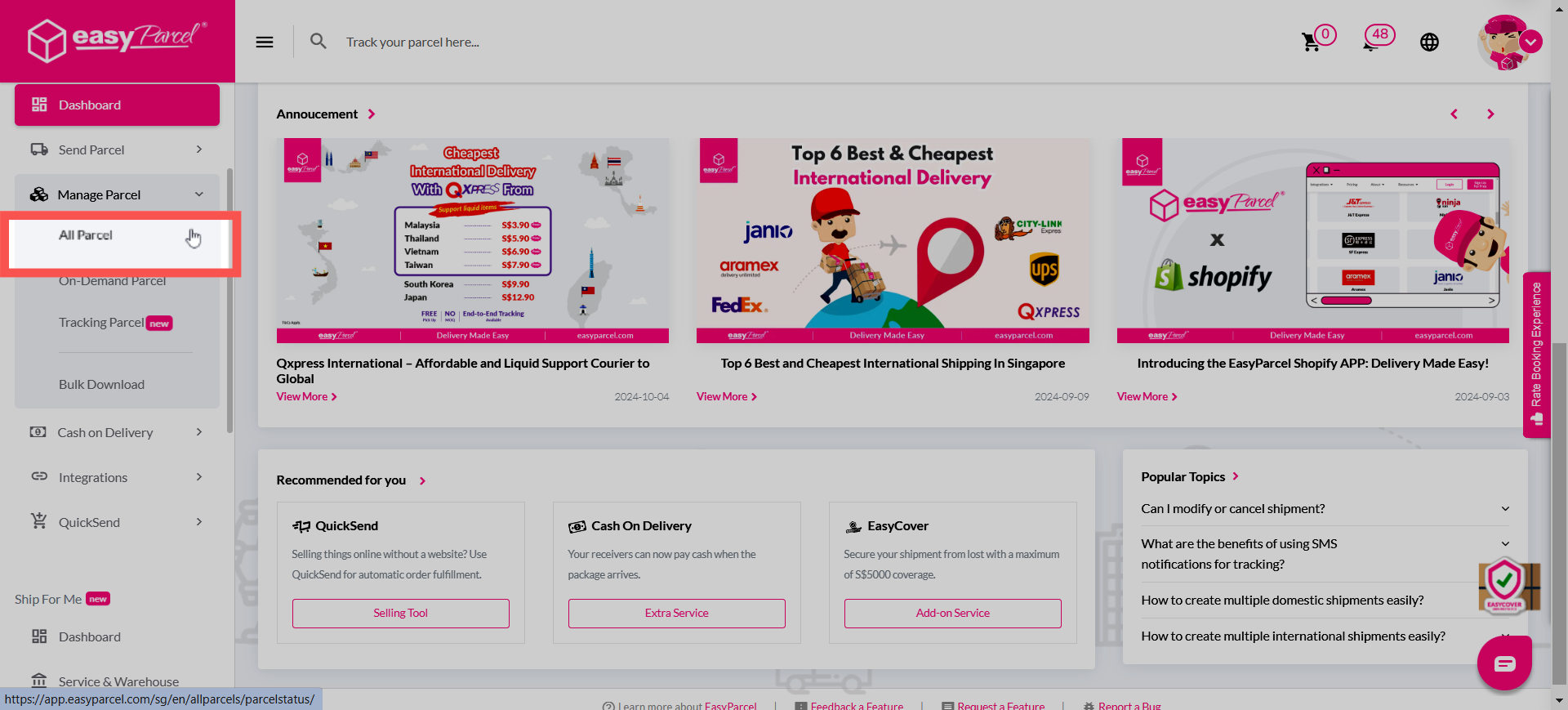
If your parcel status remains unchanged after handover, you should report the issue directly through your EasyParcel SG dashboard by navigating to 'Manage Parcel' > 'All Parcel', clicking the menu icon on the shipment, and selecting 'Report' > 'No status update after parcel collected / dropped off'. You can also submit an inquiry via the 'Contact Us' page under Shipment Enquiry. Once submitted, the support team will investigate the status with the courier to locate your package. This step is relevant to Singapore senders who need formal confirmation that their shipment has been successfully processed into the courier's network.
In cases where there is no update in your tracking status after the parcel has been collected or dropped off, you may refer to the solutions below for further assistance:
Solution 1 (Recommended)
Step 1: Head to your dashboard and click one 'Manage Parcel' > 'All Parcel'.
Step 2: Click on the 3 line icon and a drop-down will appear. Click on Report. 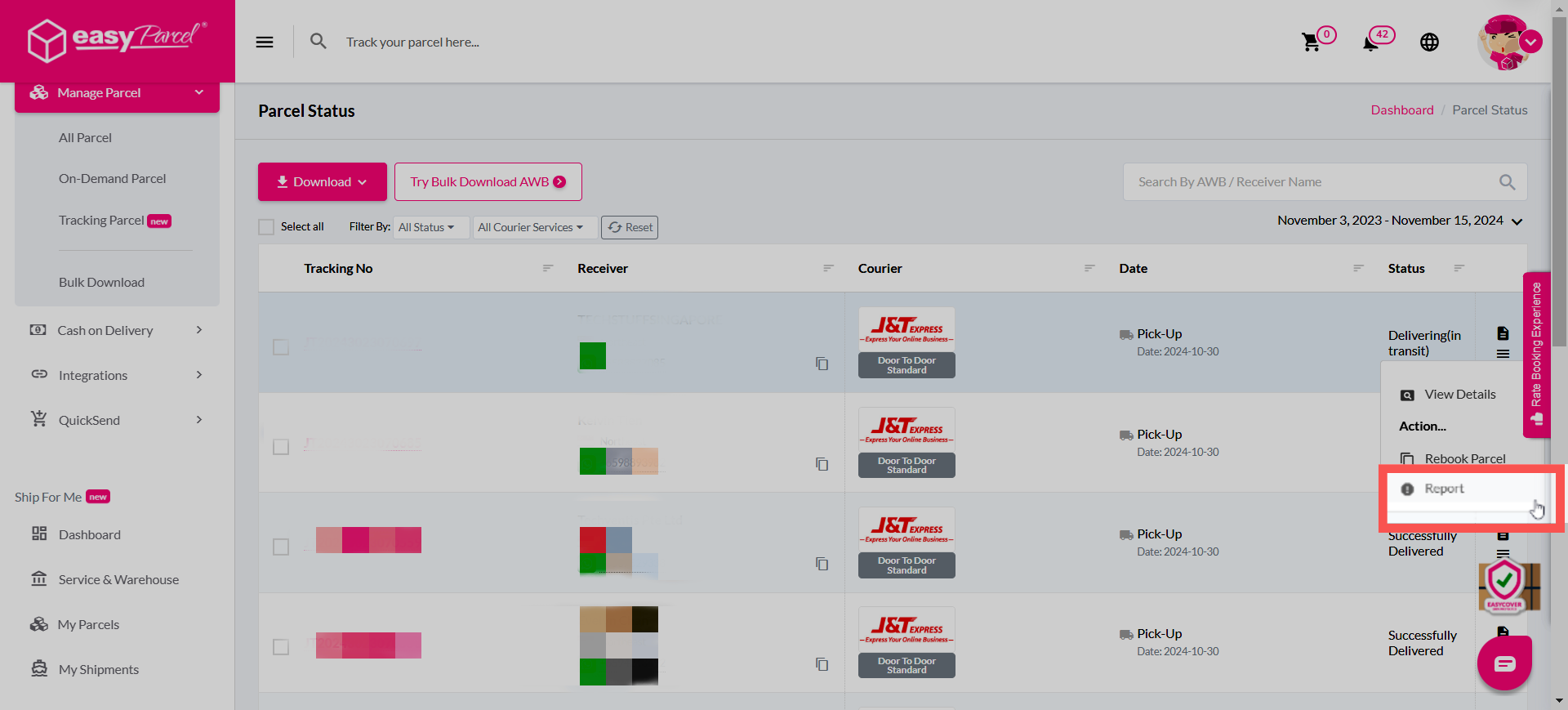
Step 3: Select 'No status update after parcel collected / dropped off'.
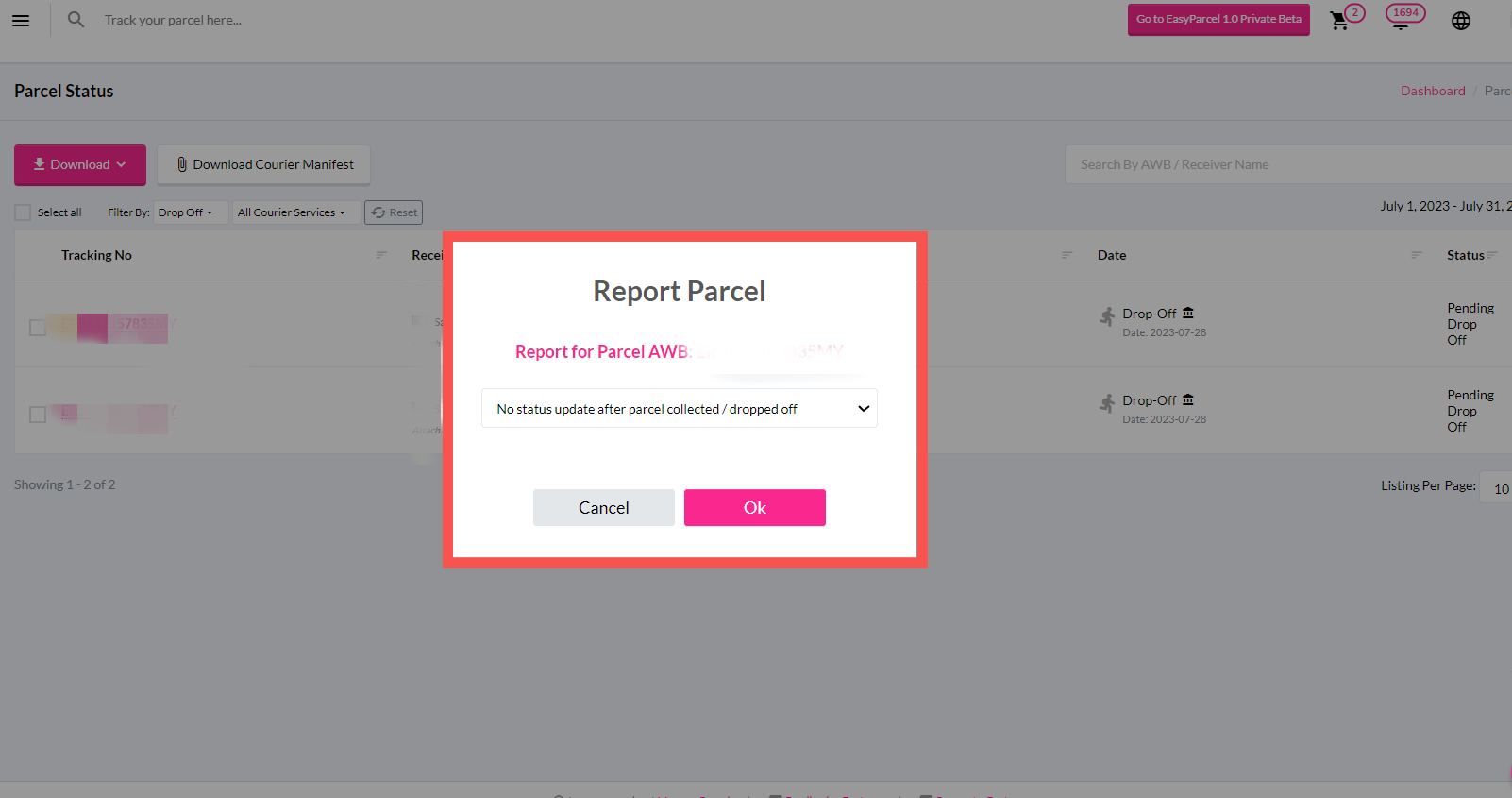
Step 4: Fill up the necessary details and the report will be sent over to our customer support team for further investigation.
Solution 2
Step 1: Visit our Contact Us website at https://app.easyparcel.com/sg/en/contact-us/
Step 2: After entering the website, click on Shipment Enquiry. 
Step 3: Next, select whether your parcel is a domestic or international shipment. 
Step 4: A list of options will appear prior to selecting your parcels shipment type. From there, select 'No Status Update After Parcel Collected/ Dropped off'

Step 5: Fill up the necessary details required in the section below. Once submitted, our customer support team will approach you accordingly via your ticket ID where it can be found in your email.
