
Quick Summary
When booking an international shipment on EasyParcel, you will need to provide an HS Code for your parcel contents for customs classification. EasyParcel's Smart HS Code feature automatically suggests one or more HS Codes based on the item name you enter. You can review the suggested options and select the HS Code that best matches the actual contents of your parcel.
We'll Cover:
What is an HS Code?
An HS Code (Harmonized System Code) is a standardized classification used to identify goods in international trade. Customs authorities use HS Codes to classify products and determine the applicable duties, taxes, and import requirements for cross-border shipments.
How do I find the HS Code for my item?
EasyParcel's Smart HS Code feature helps you find a suitable HS Code based on the item name you enter.
Here's how it works:
- Enter the Item Name of the product you are shipping.
- Smart HS Code will automatically suggest one or more HS Codes that may match your item.
- Review the suggested options and select the HS Code that best describes your actual item.
- If multiple options are available, compare the suggested classifications and choose the one that most accurately represents the contents of your parcel.
The number of suggested HS Codes may vary depending on the item. Some items may have only one suggestion, while others may have several options to choose from.
How do I assign an HS Code to my parcel?
You can assign an HS Code to your parcel content during the international booking process. Here's how:
Step 1: Go to Send Parcel and select International Delivery. Enter your shipment details and click Quote.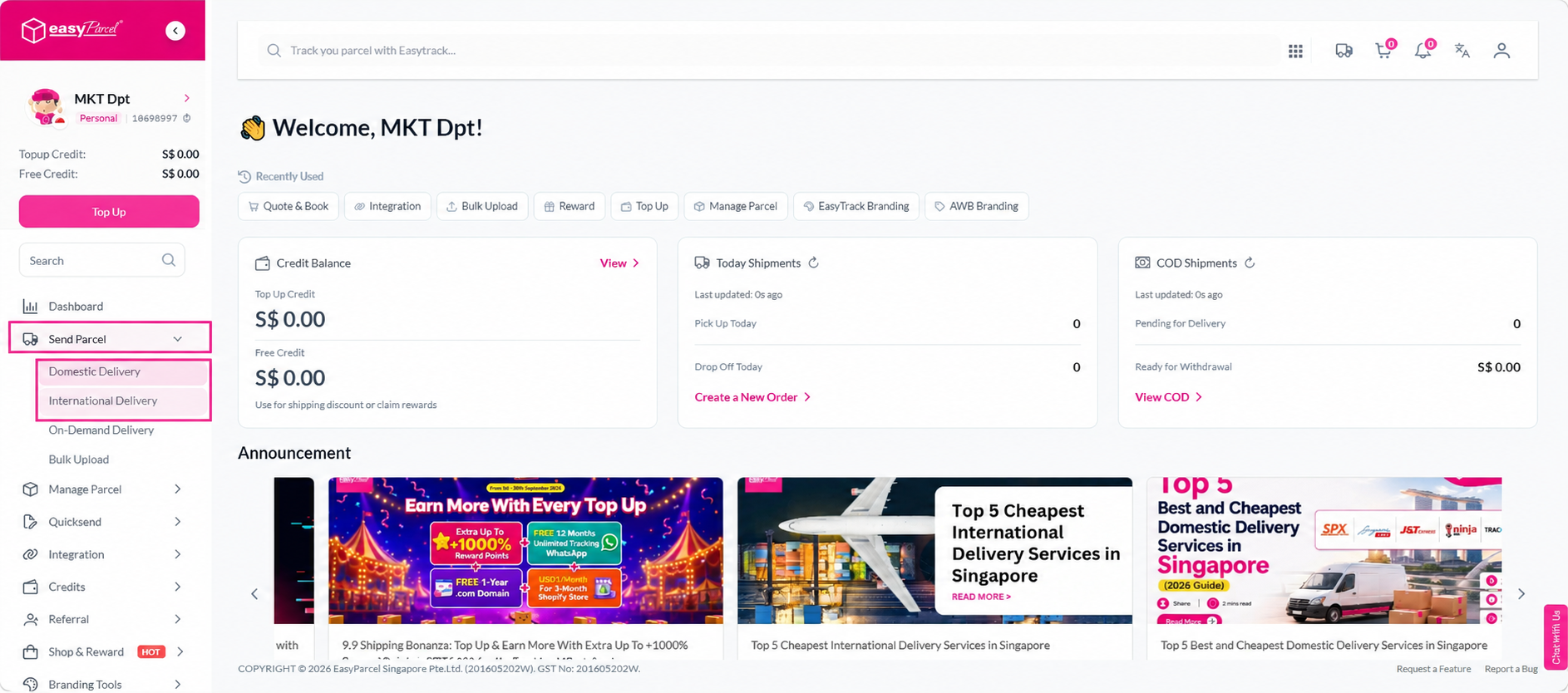
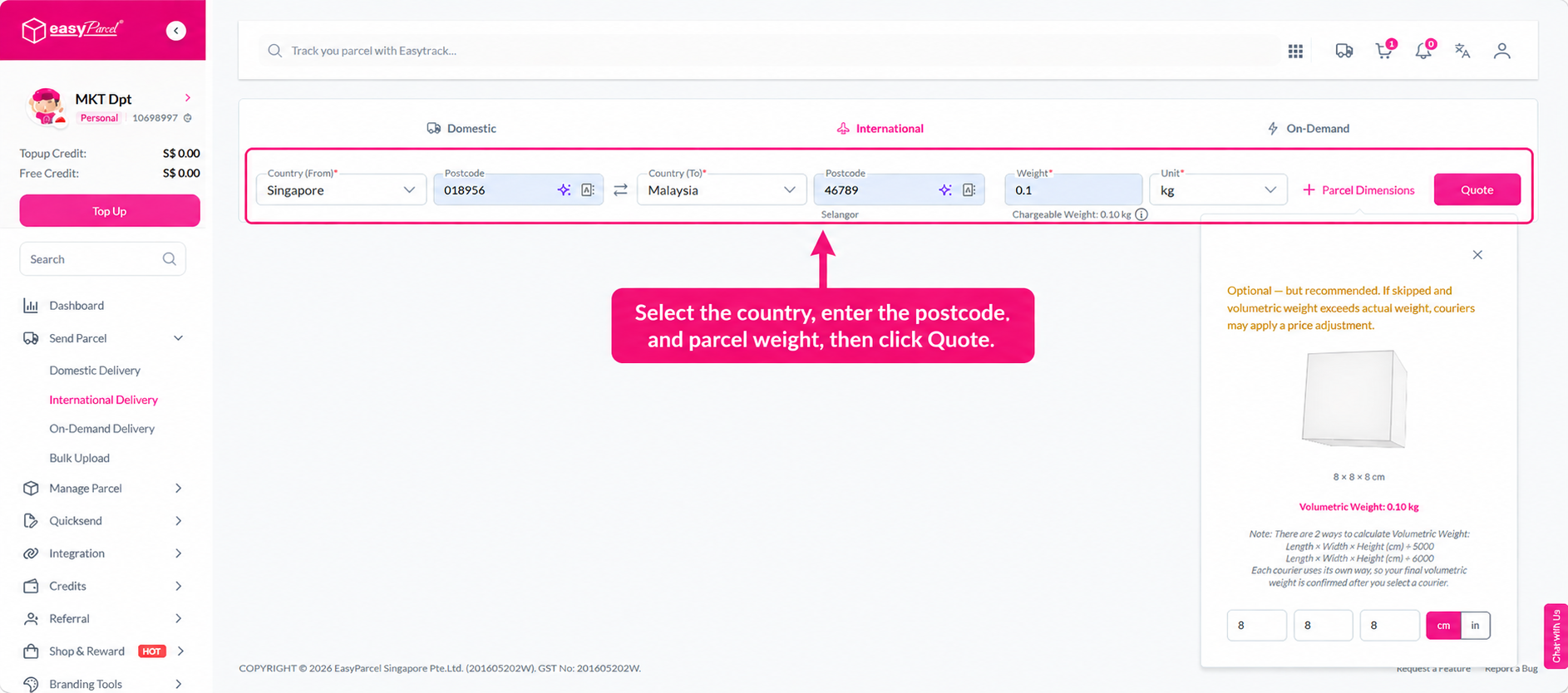 Step 2: Select your preferred international courier and click Book.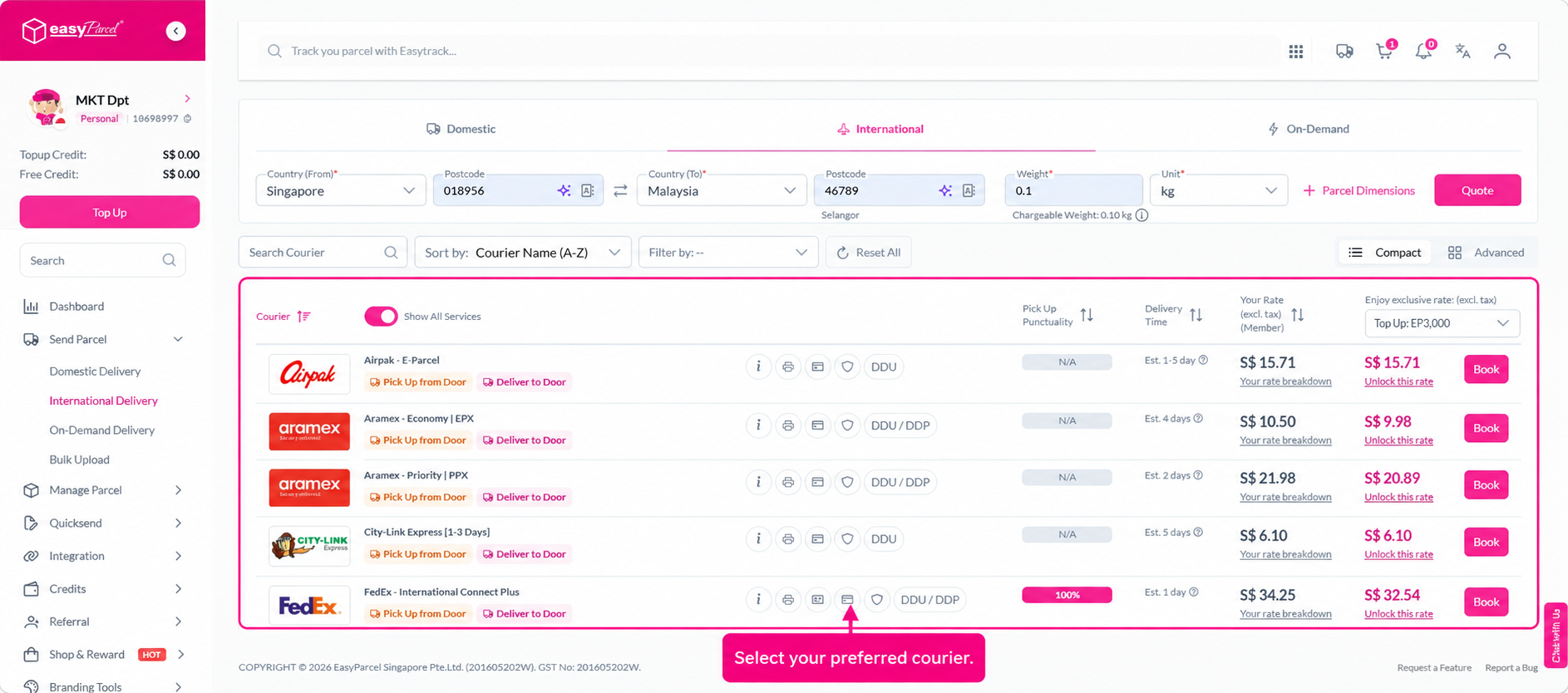
Step 3: In the parcel details section, enter the product name in the Item Name field.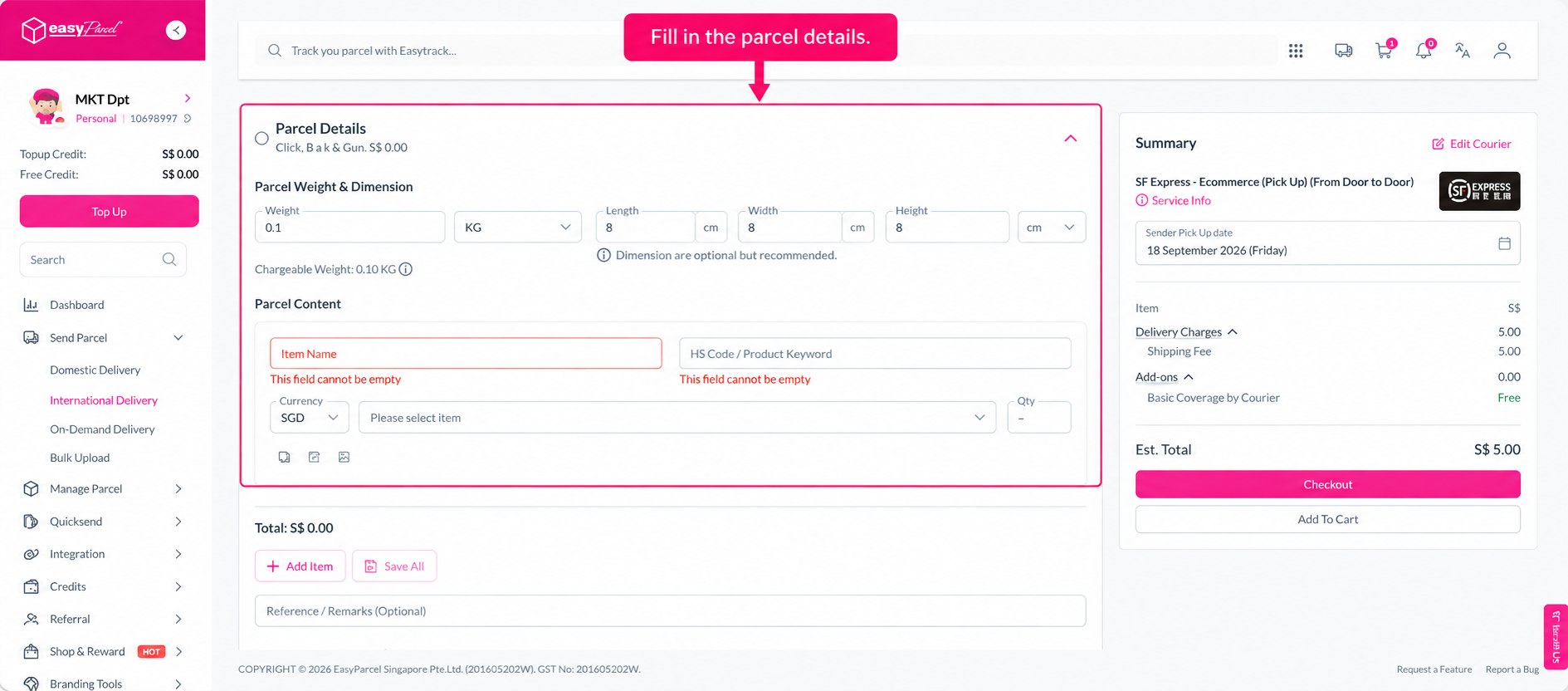
Step 4: Smart HS Code will automatically generate one or more suggested HS Codes based on the item name you entered.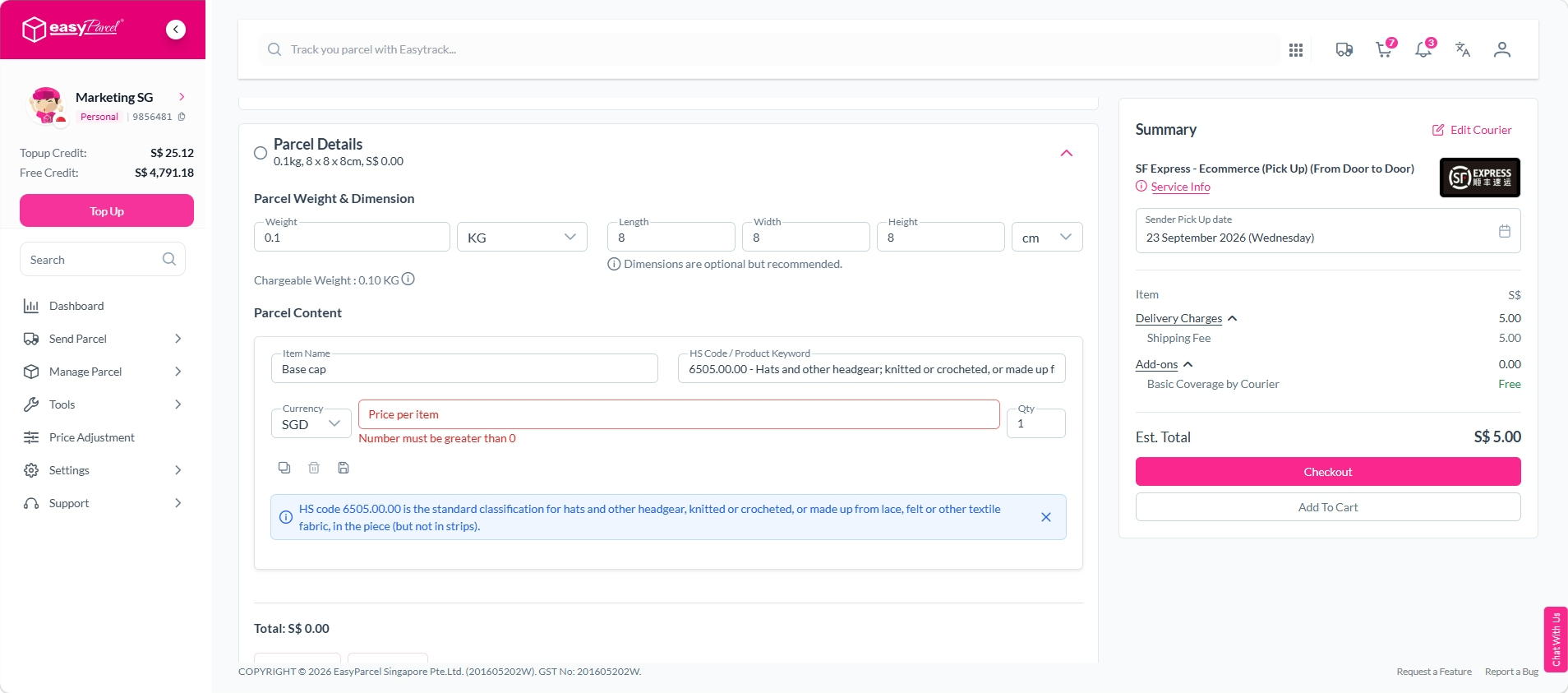
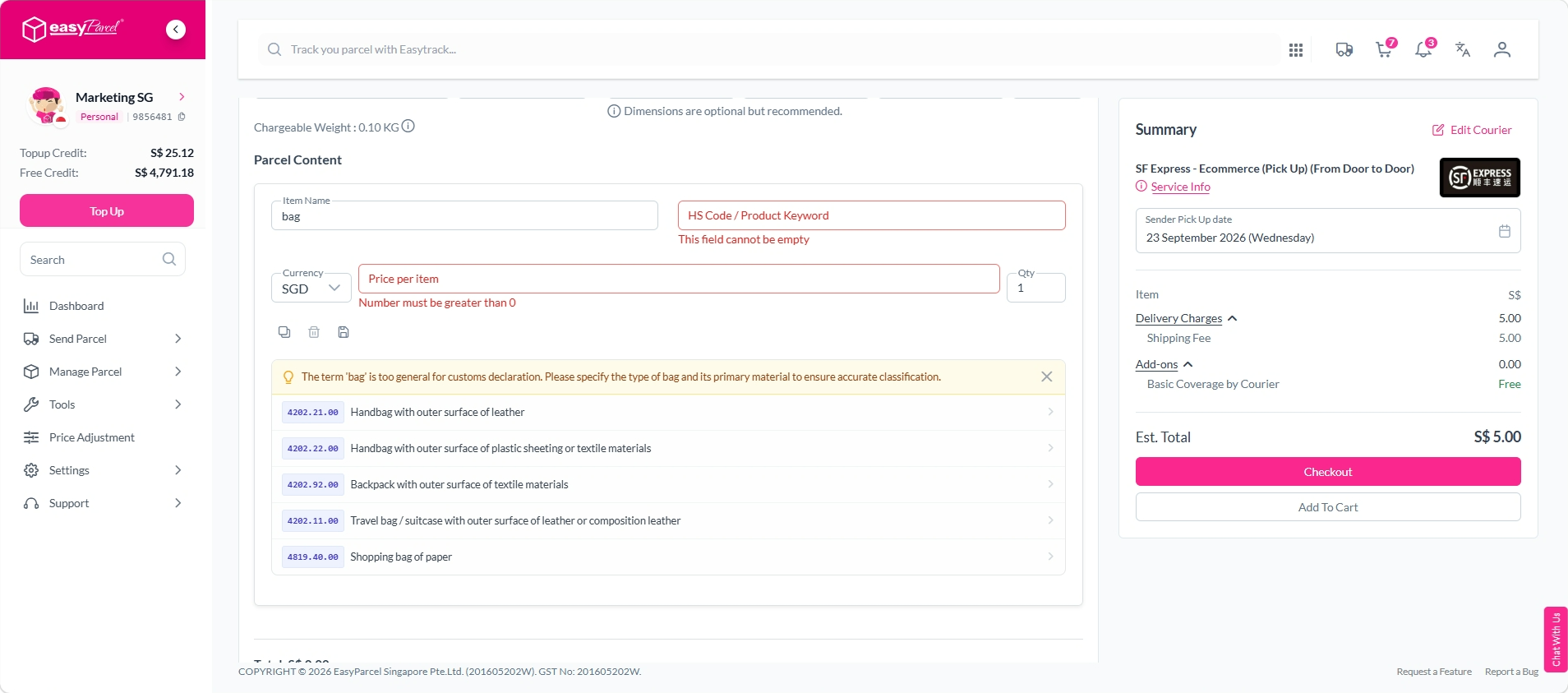 Step 5: Review the suggested HS Codes and select the one that best matches the actual contents of your parcel.
Step 6: Once you have selected the appropriate HS Code, continue with your booking.
What if the suggested HS Code doesn't match my item?
If none of the suggested HS Codes accurately describe your item, review the suggested classifications and select the option that most closely matches the actual contents of your parcel.
Make sure the Item Name you enter clearly describes what you are shipping, as the suggested HS Codes are based on the item information provided.
Providing accurate item information and selecting the appropriate HS Code helps ensure that the correct details are provided for customs clearance.
What if I assign a wrong HS Code?
If the selected HS Code does not accurately describe your item, review the available suggestions and choose the HS Code that best matches the actual contents of your parcel.
Providing an accurate HS Code helps ensure your shipment is correctly classified for customs clearance. An incorrect HS Code may result in additional customs checks, processing, or delays.