
Quick Summary
To schedule a pick-up, select your preferred collection date from the calendar during the booking process. Check each courier's cut-off times, as some offer same-day collection if booked early enough, while others require at least one day's notice.
Need to schedule a pick-up in advance? Here's how to do it when creating a shipment:
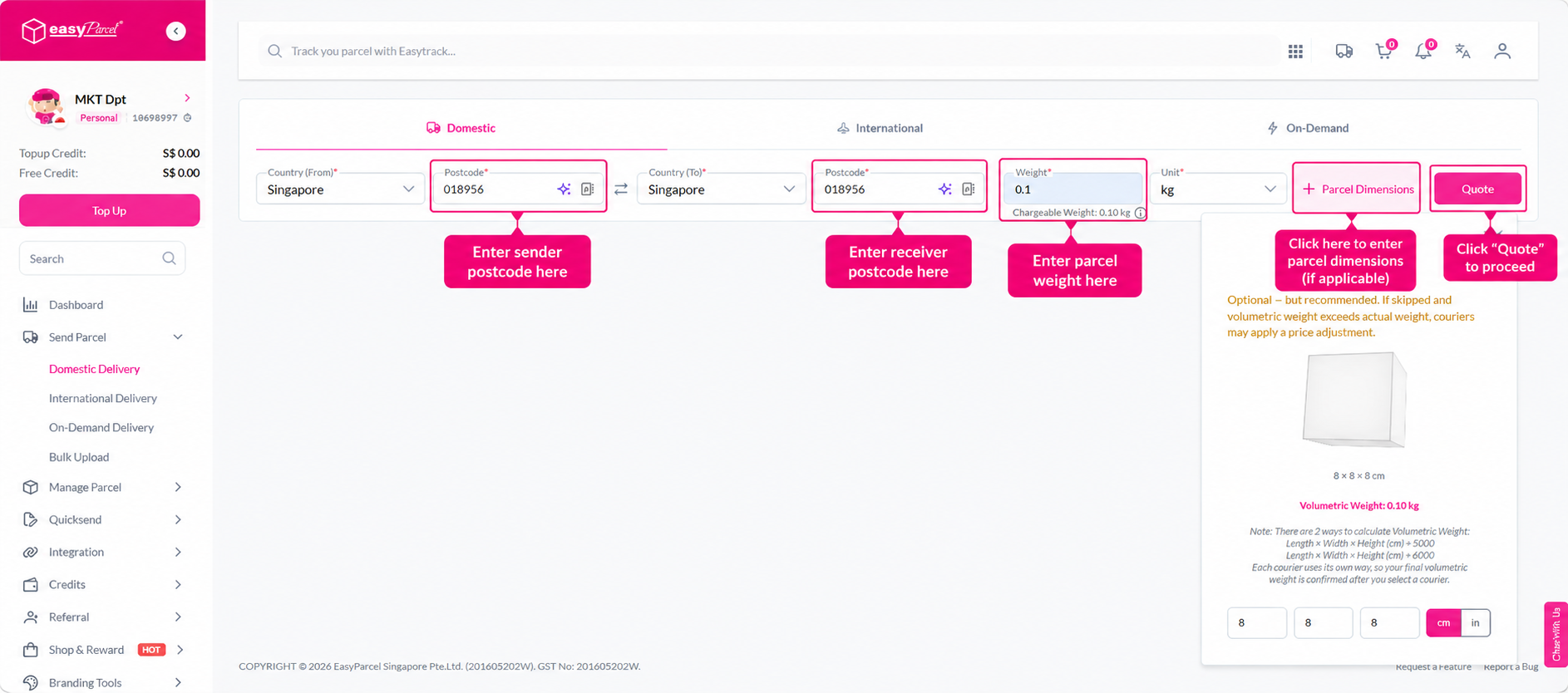
Step 1: Go to Send Parcel and select Domestic Delivery or International Delivery. Enter your shipment details and click Quote.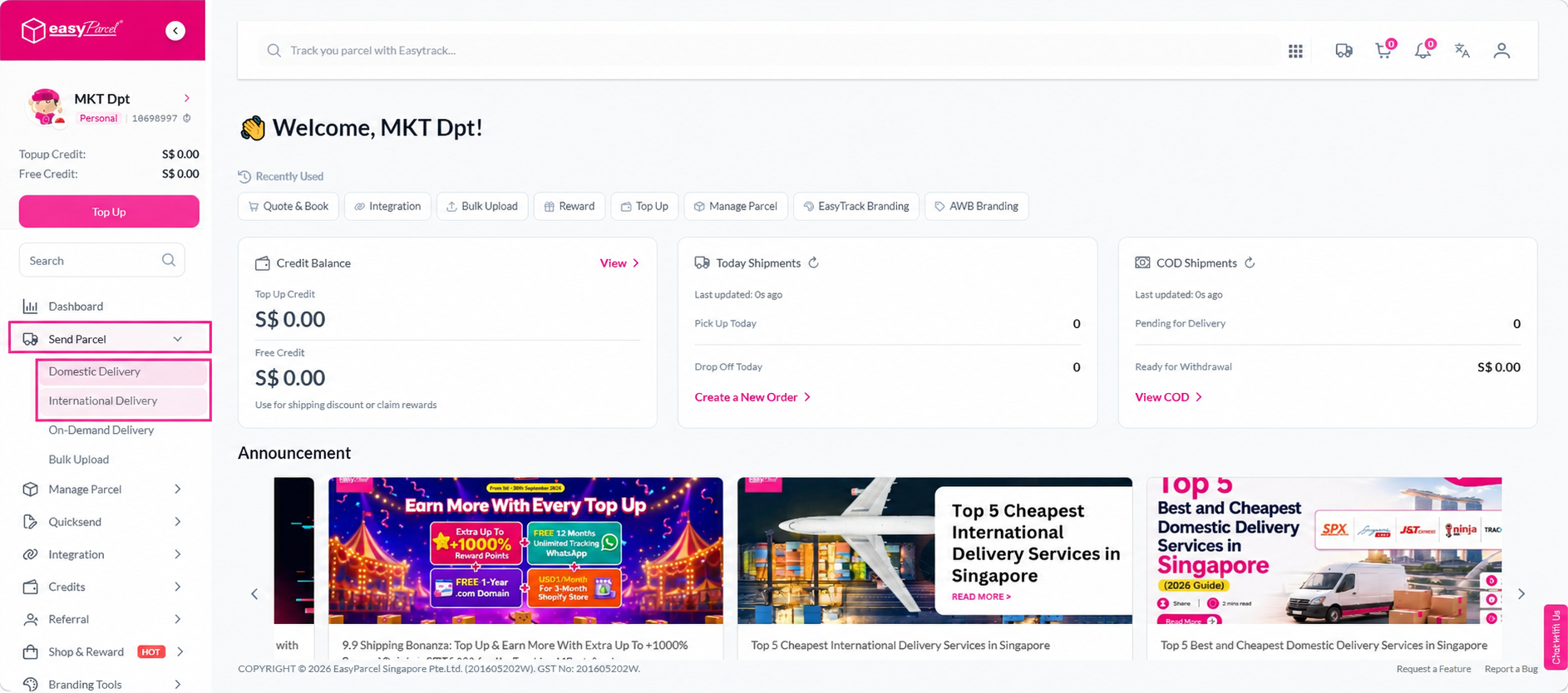
 Step 2: Select your preferred courier and click Book.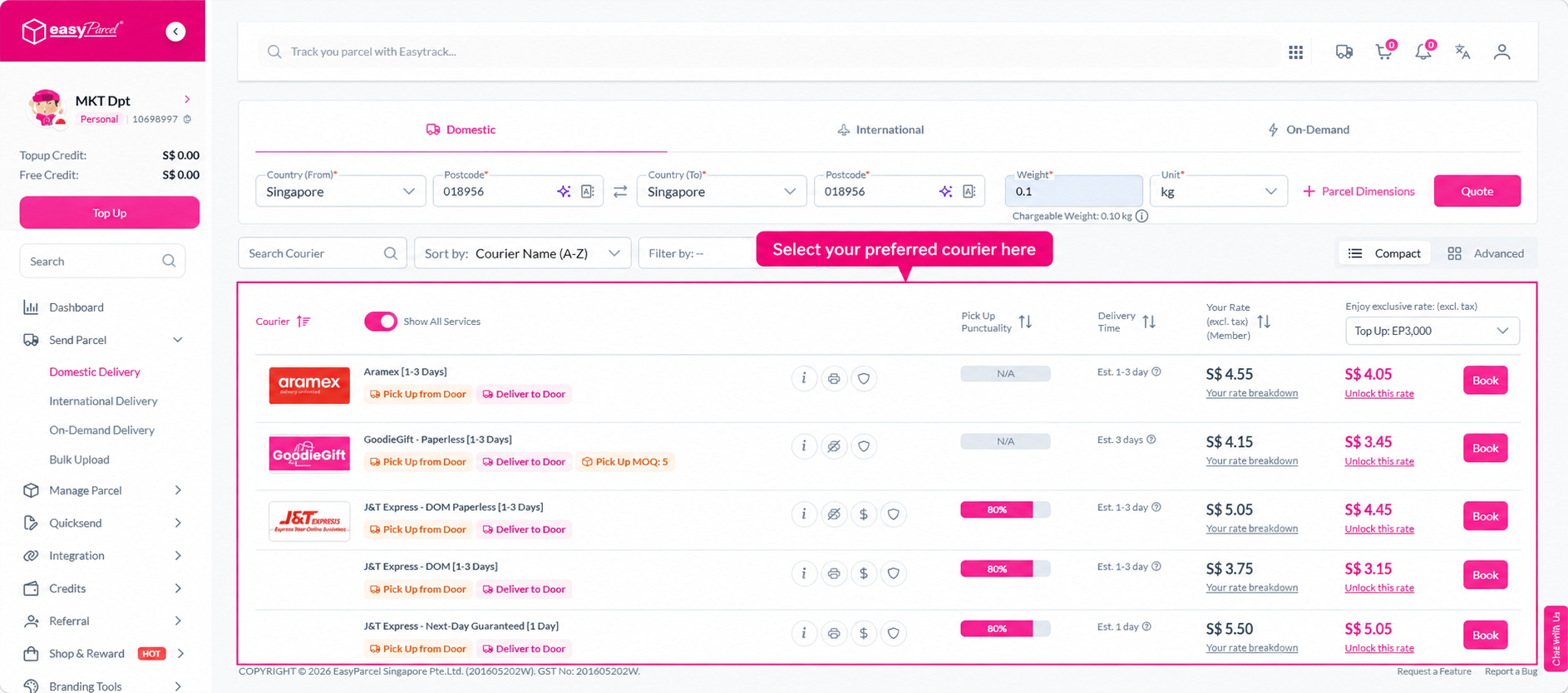
Step 3: Fill in your sender details, receiver details, and parcel details. Then click the Select a date dropdown and use the calendar to choose your preferred collection date.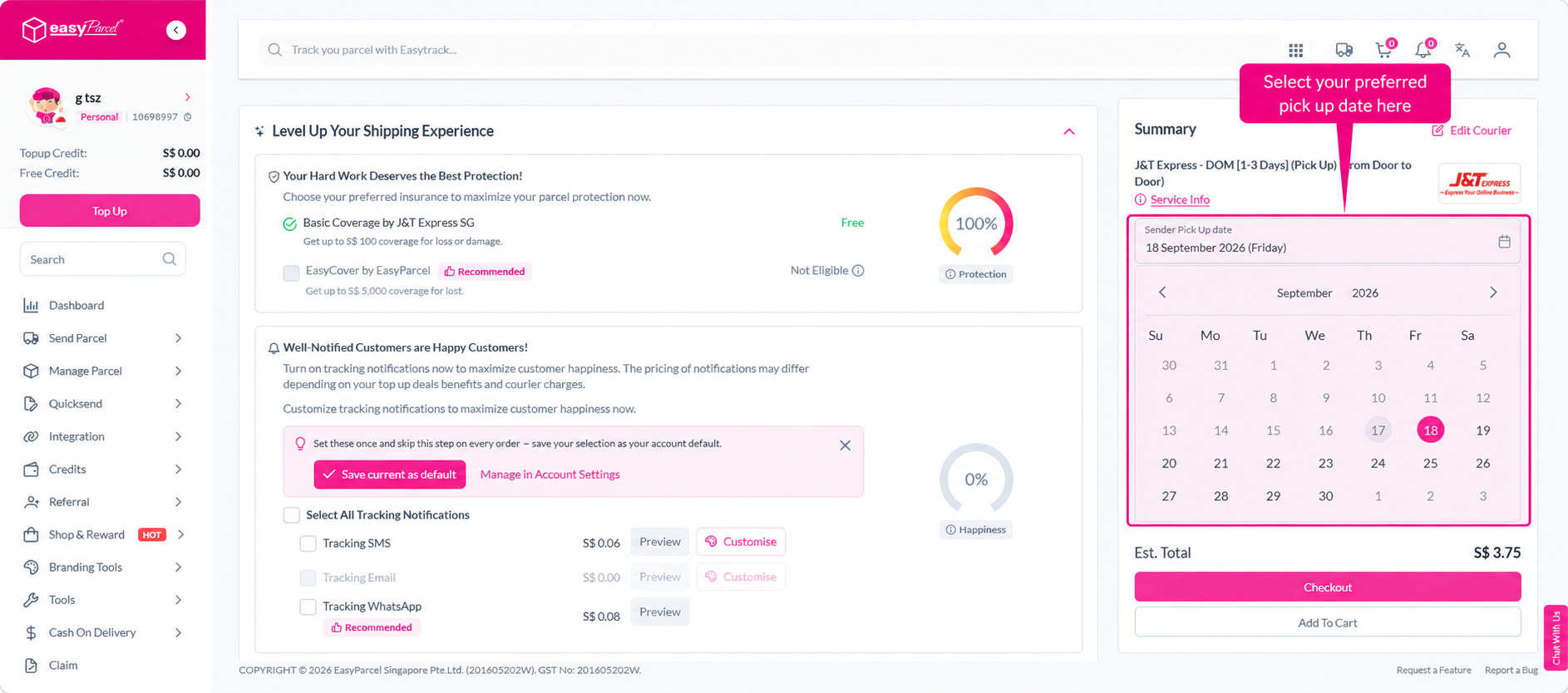
Step 4: Proceed with payment as usual.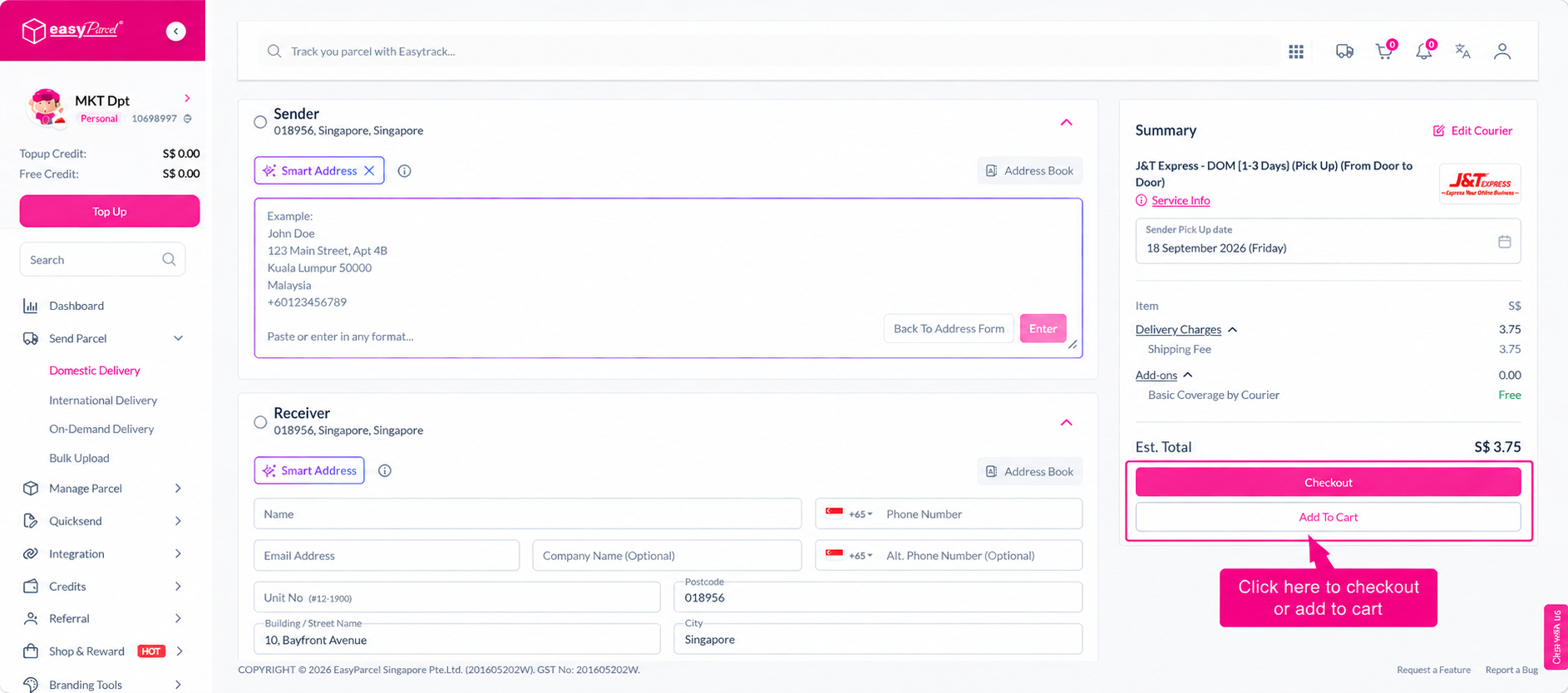
Sending something valuable? Find out how to purchase EasyCover for coverage of up to SGD 5,000.