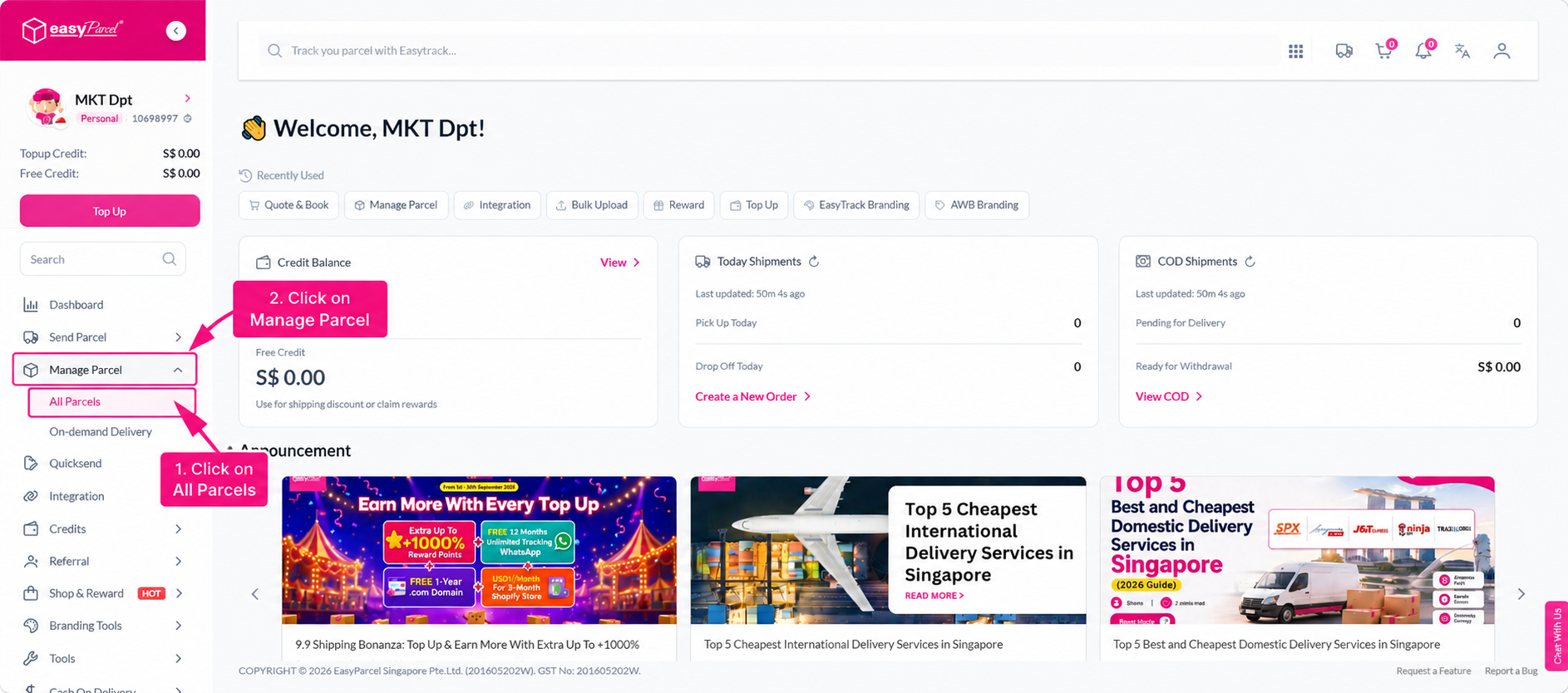
Quick Summary
To book a SingPost Door-to-Door service, go to Send Parcel and select Domestic Delivery. Enter your shipment details and select SingPost – Door to Door from the courier list. Fill in your sender and receiver details, complete your parcel details, and proceed to payment. Once booked, download and print the Air Waybill (AWB) and attach it to your parcel for collection.
SingPost – Door to Door is a delivery service that collects your parcel directly from your address and delivers it to your receiver's address. A courier will come to your specified location to collect the parcel, and it will be delivered directly to the recipient's doorstep.
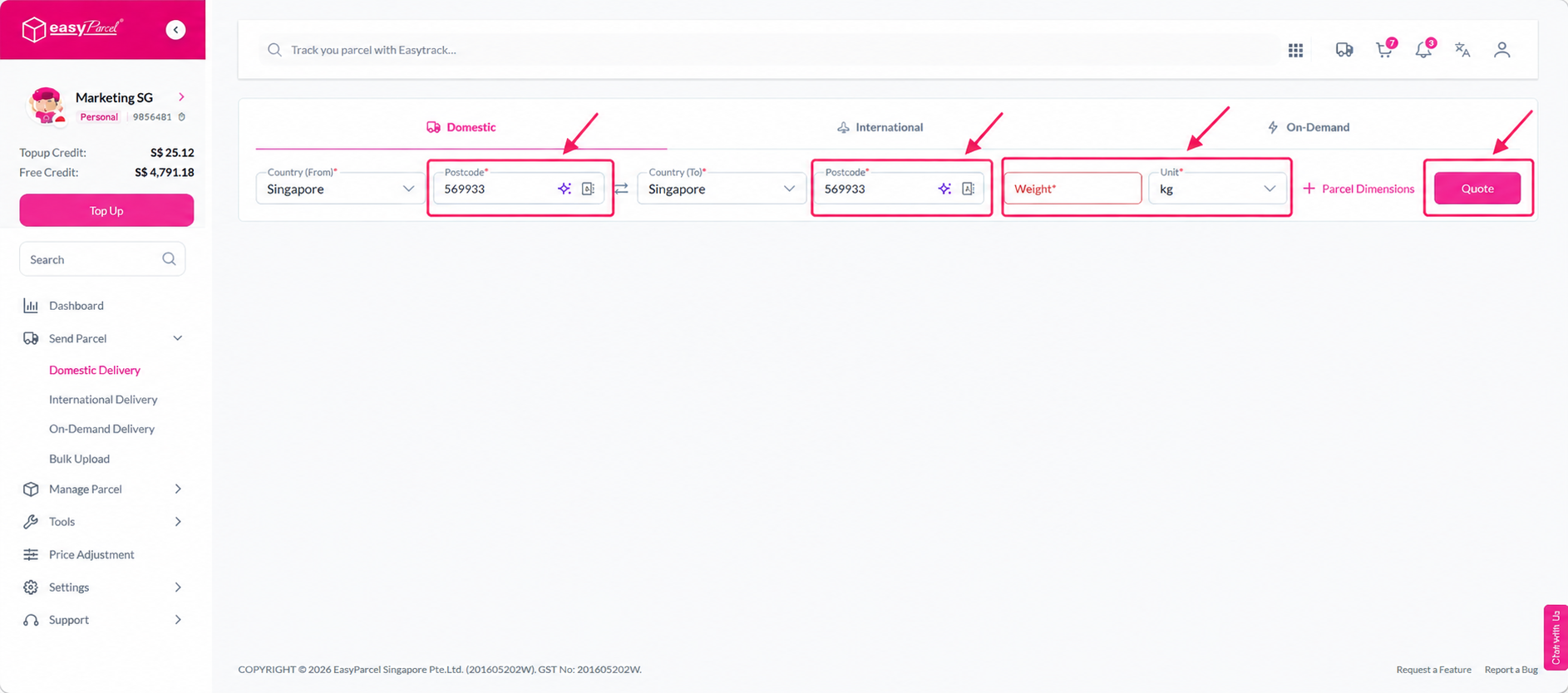
Step 1: Go to Send Parcel and select Domestic Delivery. Enter your shipment details and click Quote.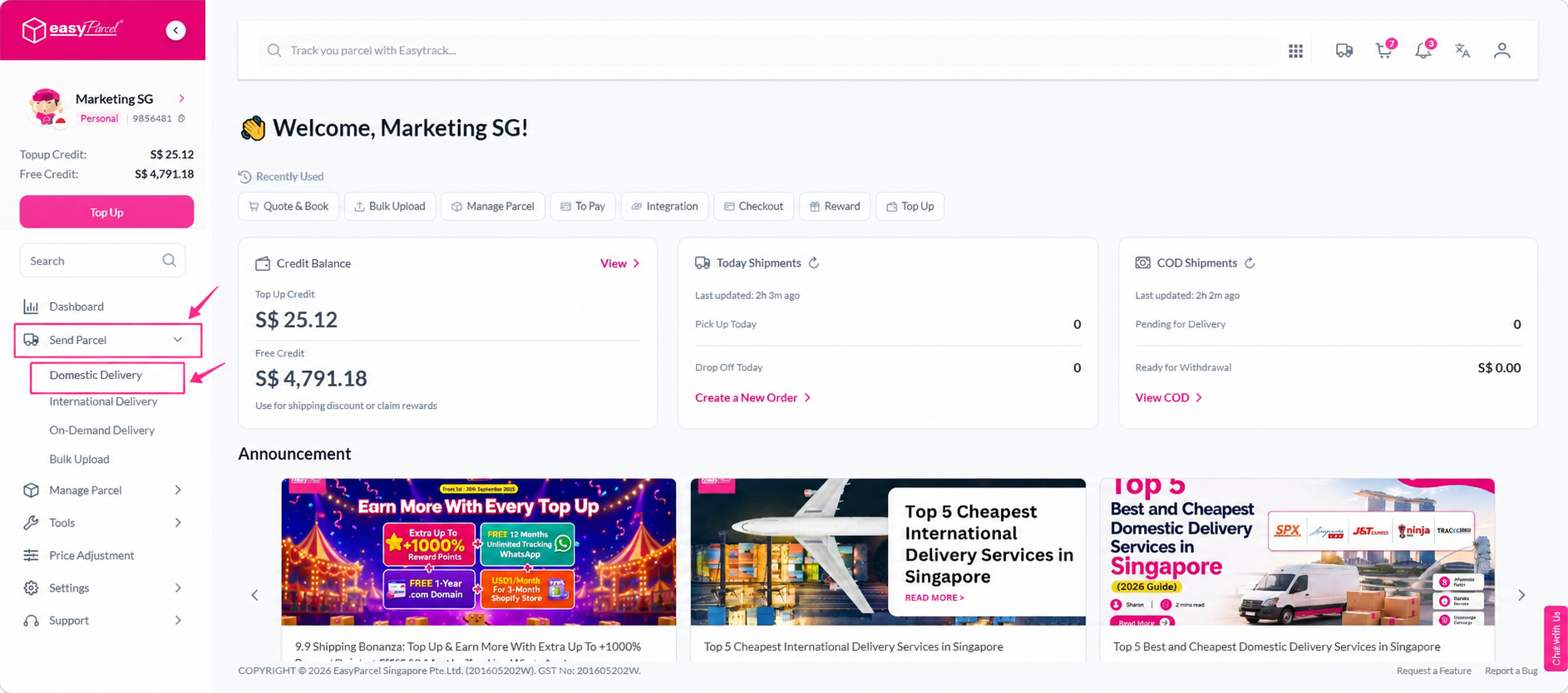
 Step 2: Select SingPost – Door to Door from the courier list and click Book.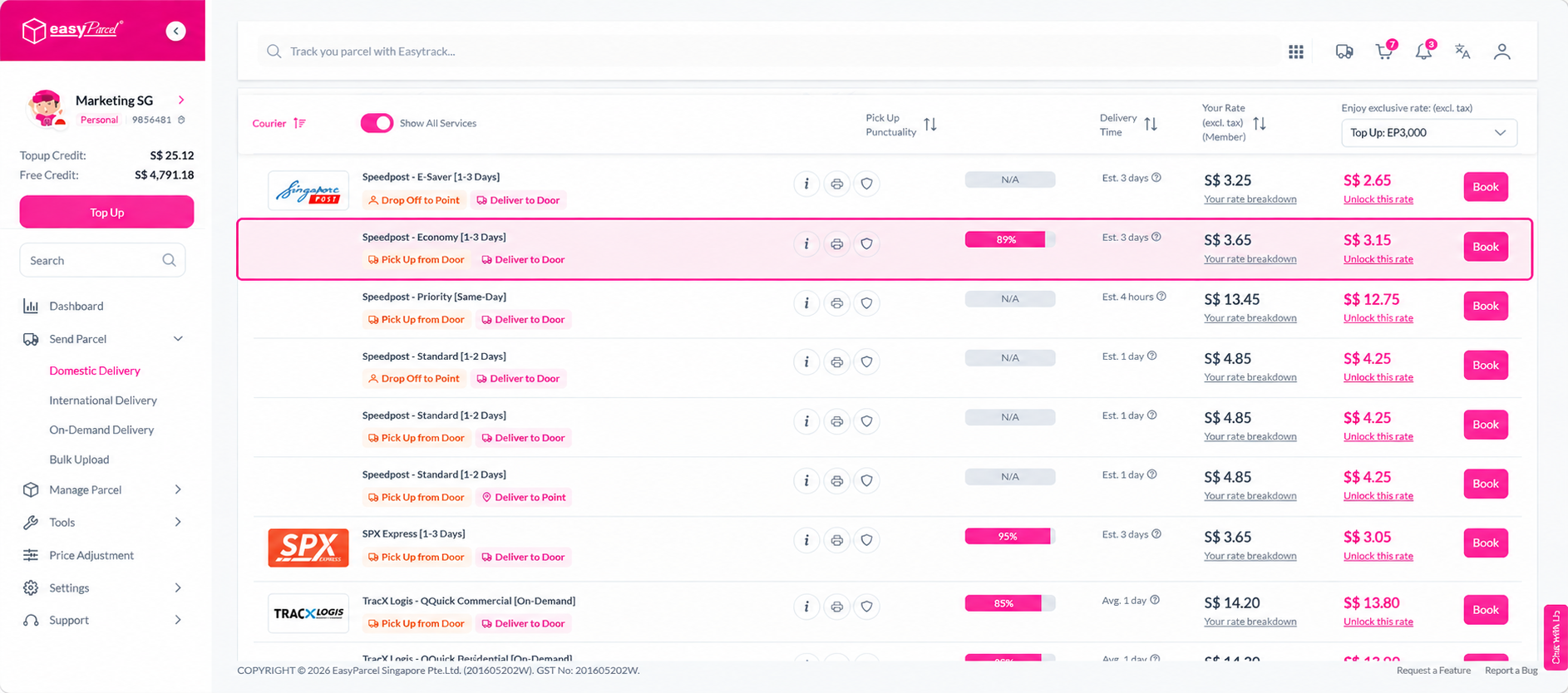
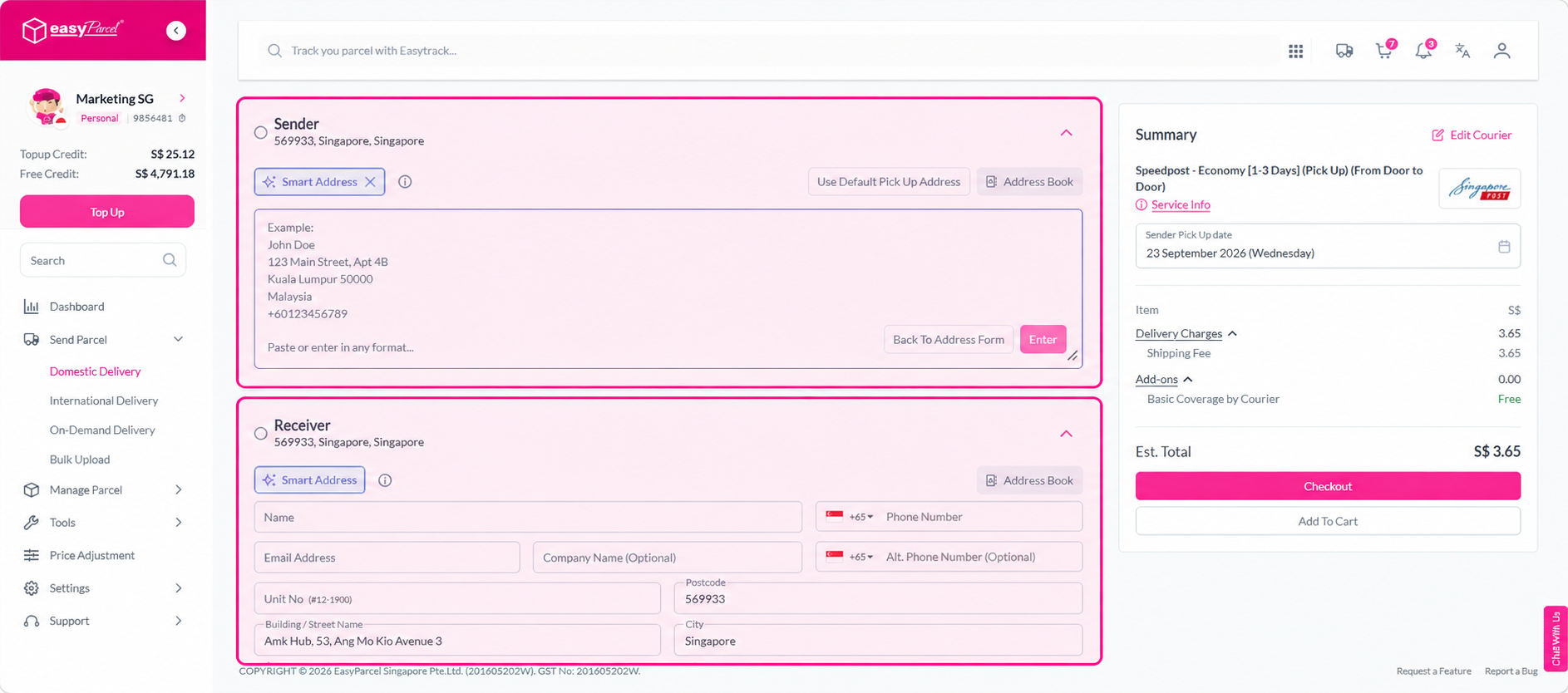
Step 3: Fill in the sender details and receiver details , including the collection address.
Step 4: Fill in the parcel details.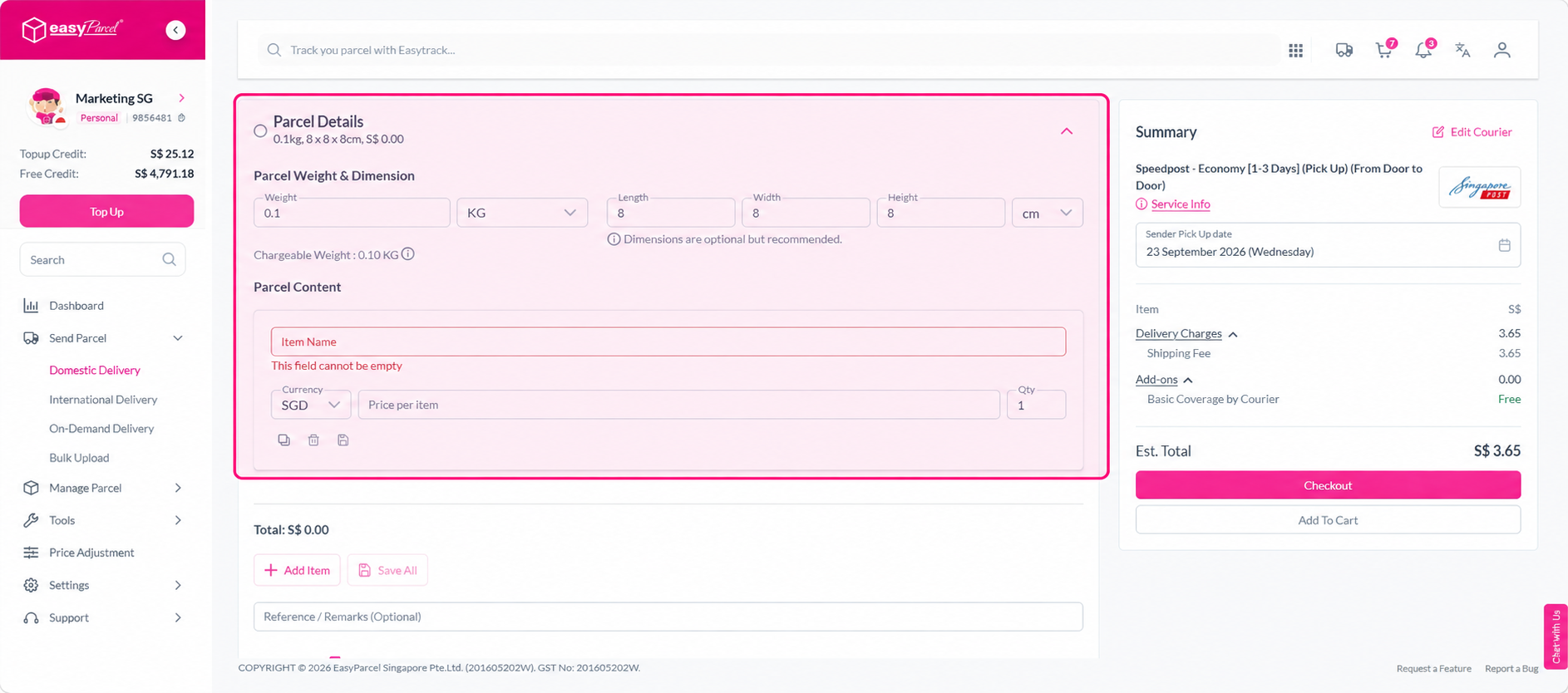
Step 5: Select your collection date, add any optional features, and click Add To Cart.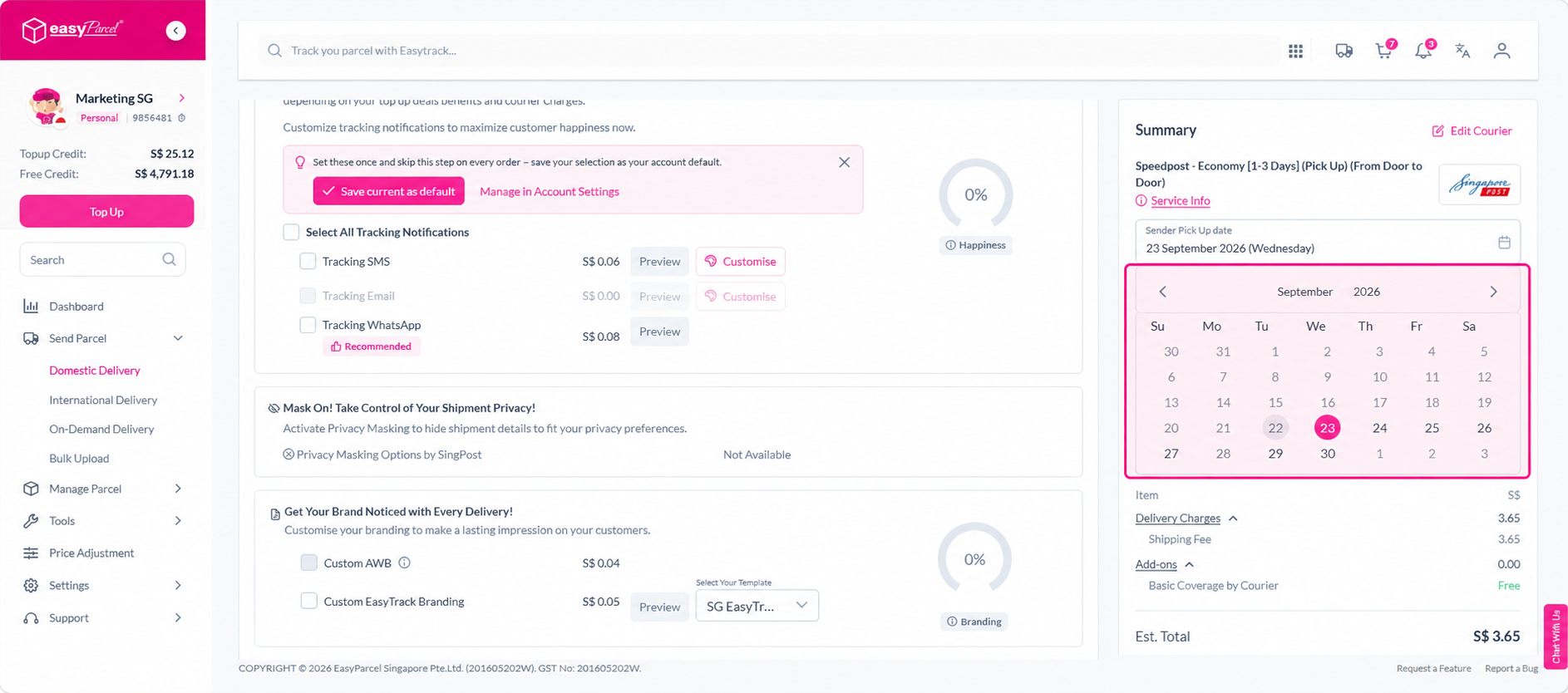
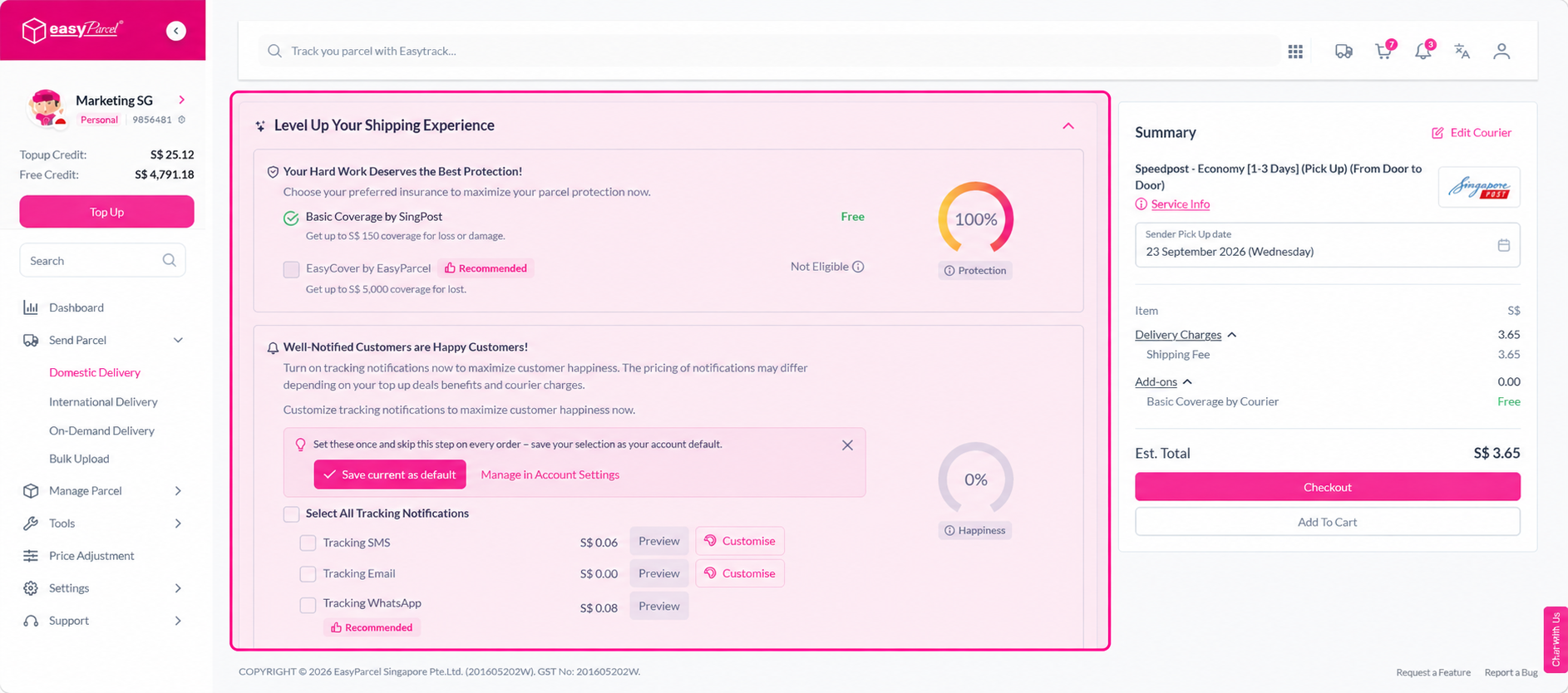
Step 7: In My Cart, confirm your order and click Check Out.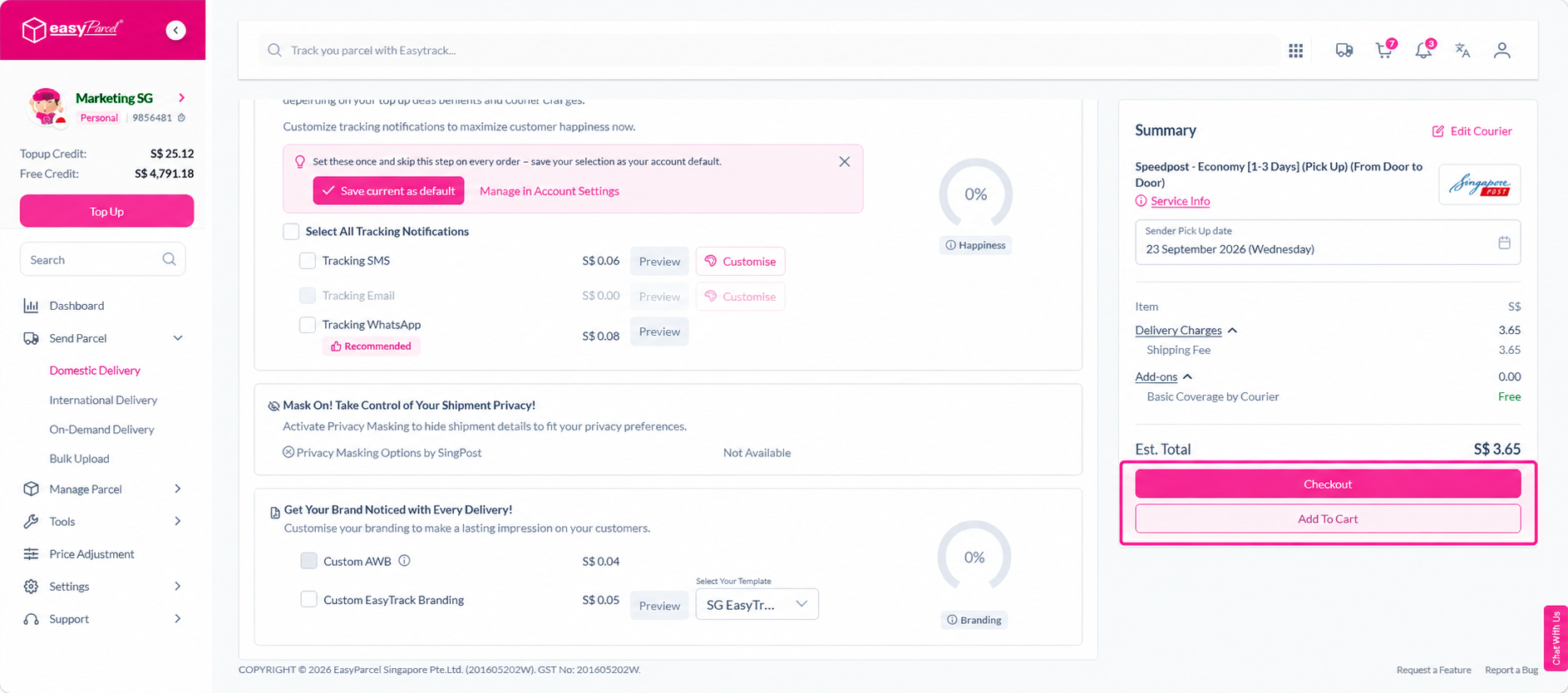
Step 8: On the payment page, proceed with payment.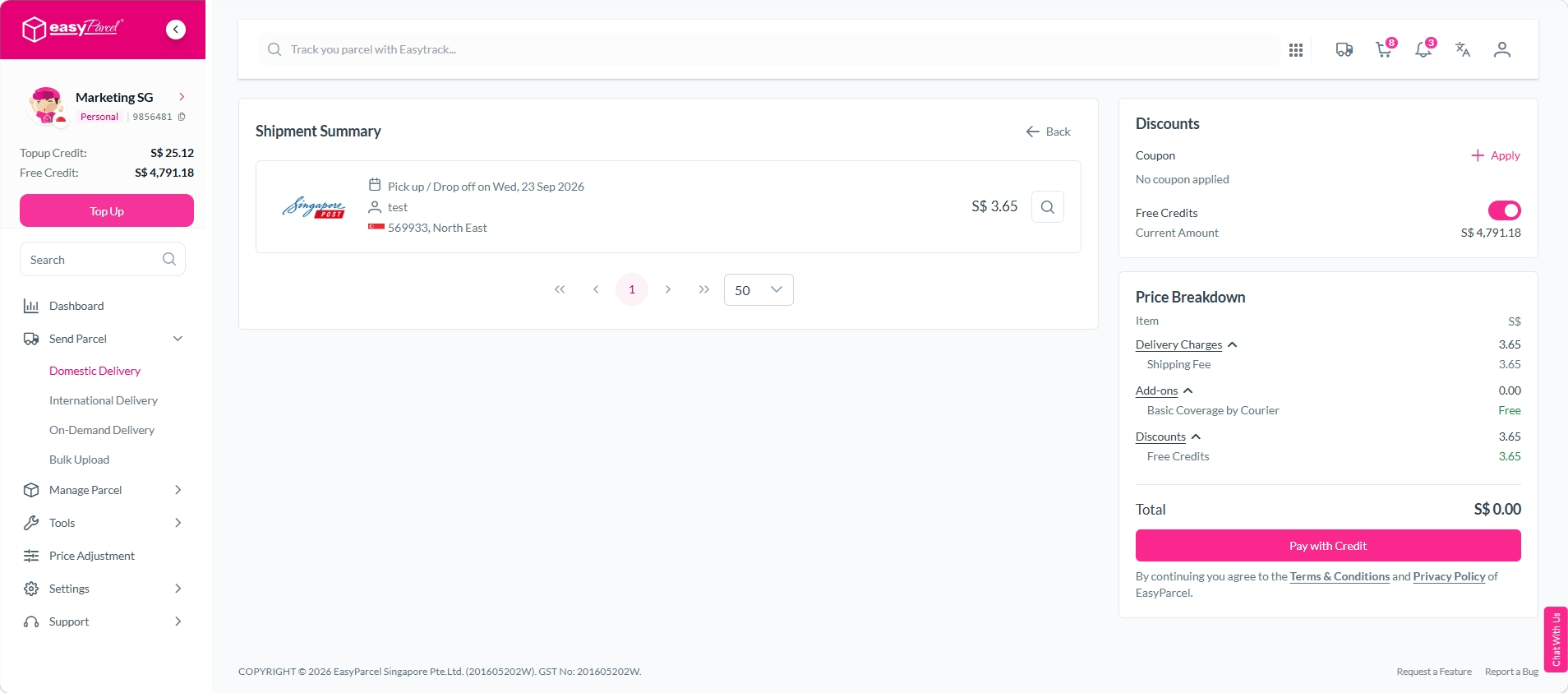
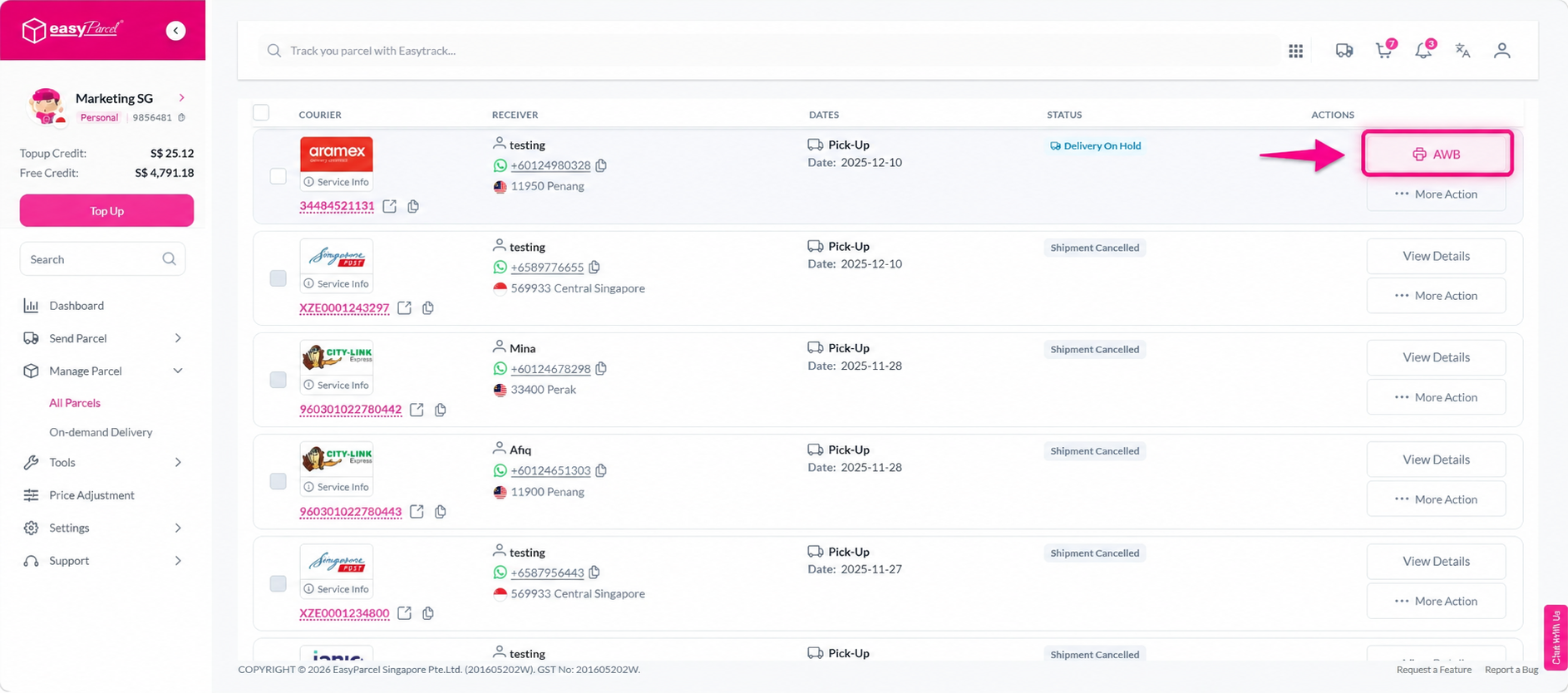
Step 9: Once the order is complete, click the printer icon to download your Air Waybill. Print it out and attach it to your parcel before the courier arrives for collection.