Quick Summary
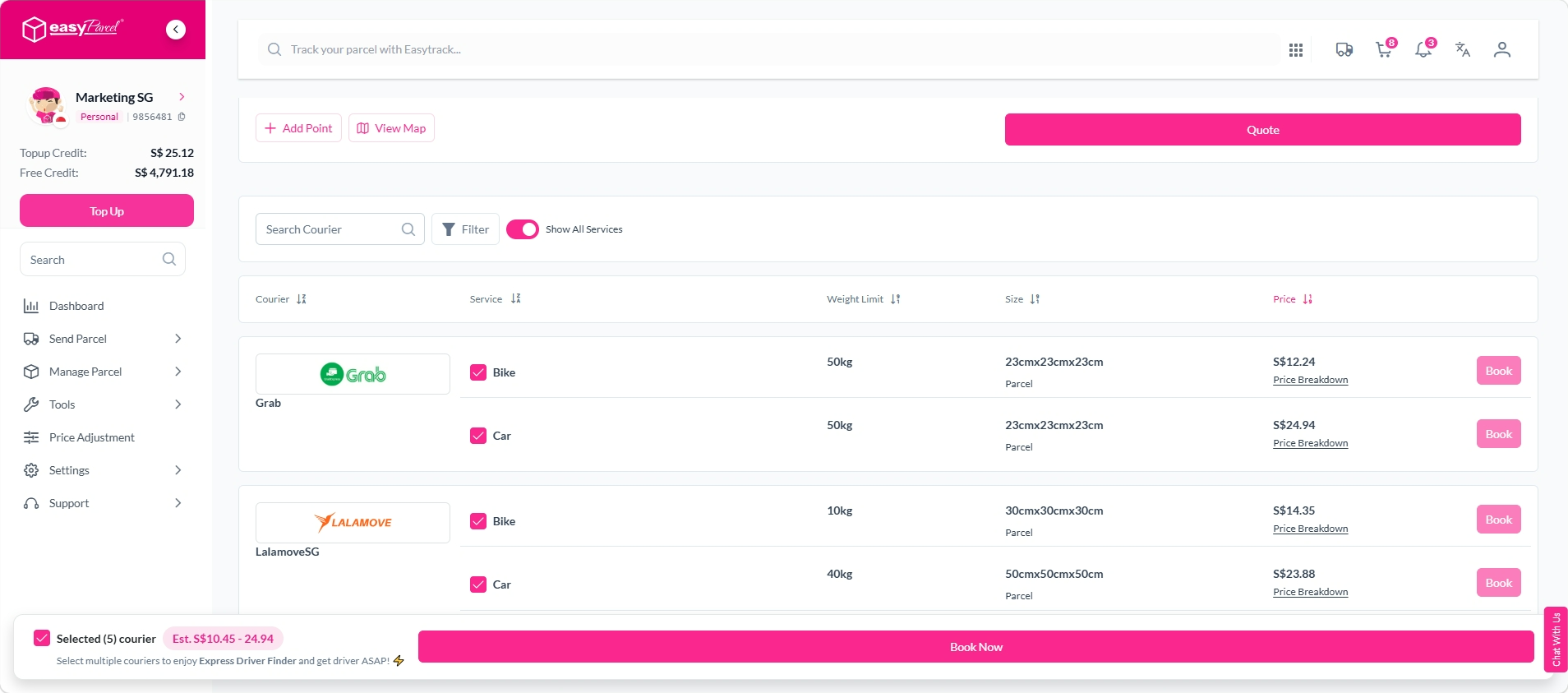
Express Driver Finder is a feature for on-demand delivery that lets you select multiple courier services in a single booking, increasing your chances of securing a driver quickly. You are initially charged the highest rate among your selected couriers. If a lower-priced driver accepts the booking, the difference is automatically refunded to your account.
We'll Cover:
What is Express Driver Finder?
Express Driver Finder is a feature for on-demand delivery that allows you to select multiple courier services in a single booking. By searching across a larger pool of drivers at once, it increases your chances of securing a driver quickly — particularly useful for urgent deliveries where time matters.
How does Express Driver Finder work?
Scenario 1:
If you select multiple courier services and a driver with a lower rate accepts your booking, the system automatically refunds the difference to your account. You are only charged the rate of the driver who accepted.
Scenario 2:
If the driver who accepts your booking has the highest rate among your selected couriers, no additional charges or refunds apply and the booking proceeds as normal.
How to book on-demand delivery with Express Driver Finder
Step 1: Go to Send Parcel and select On-Demand Delivery. Enter your pick-up and drop-off locations.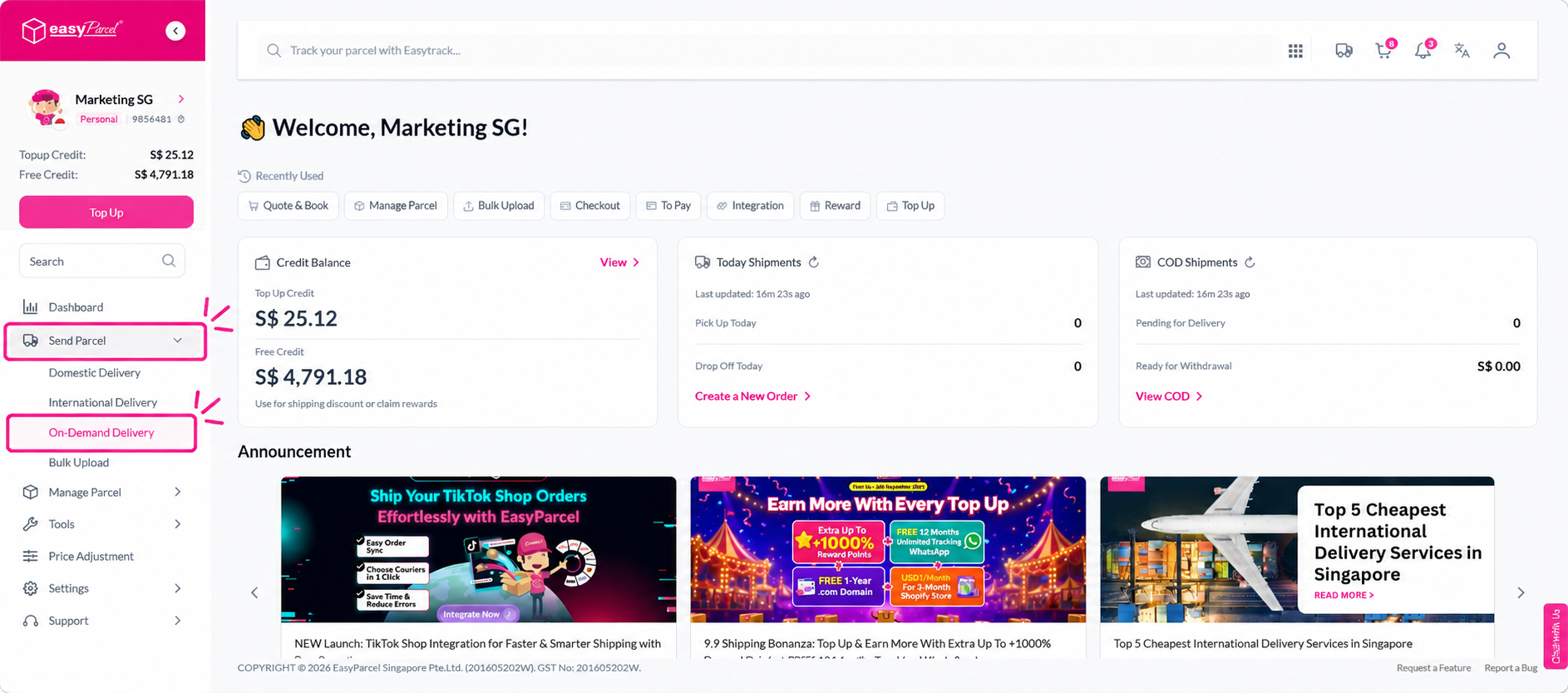
Step 2: Select your preferred pick-up date and time.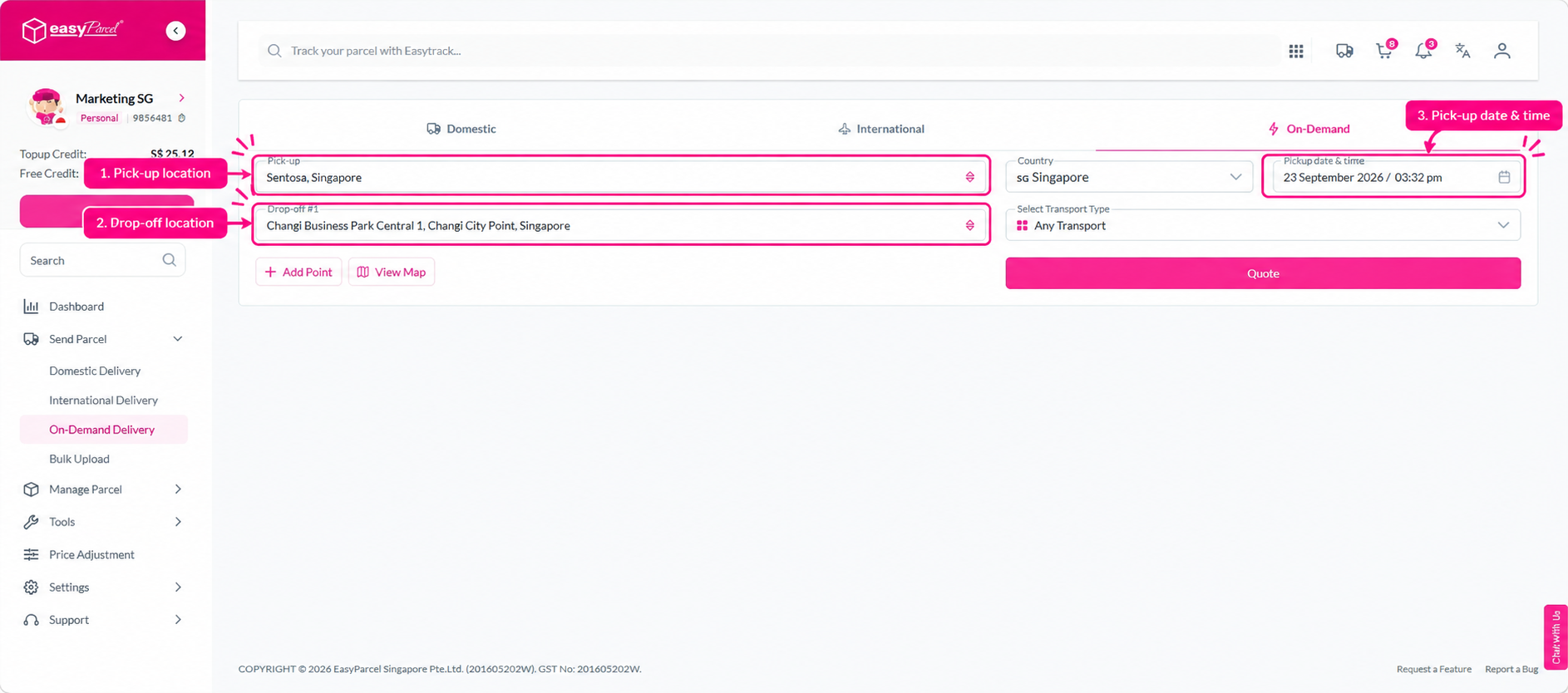
Step 3: Select your transport type.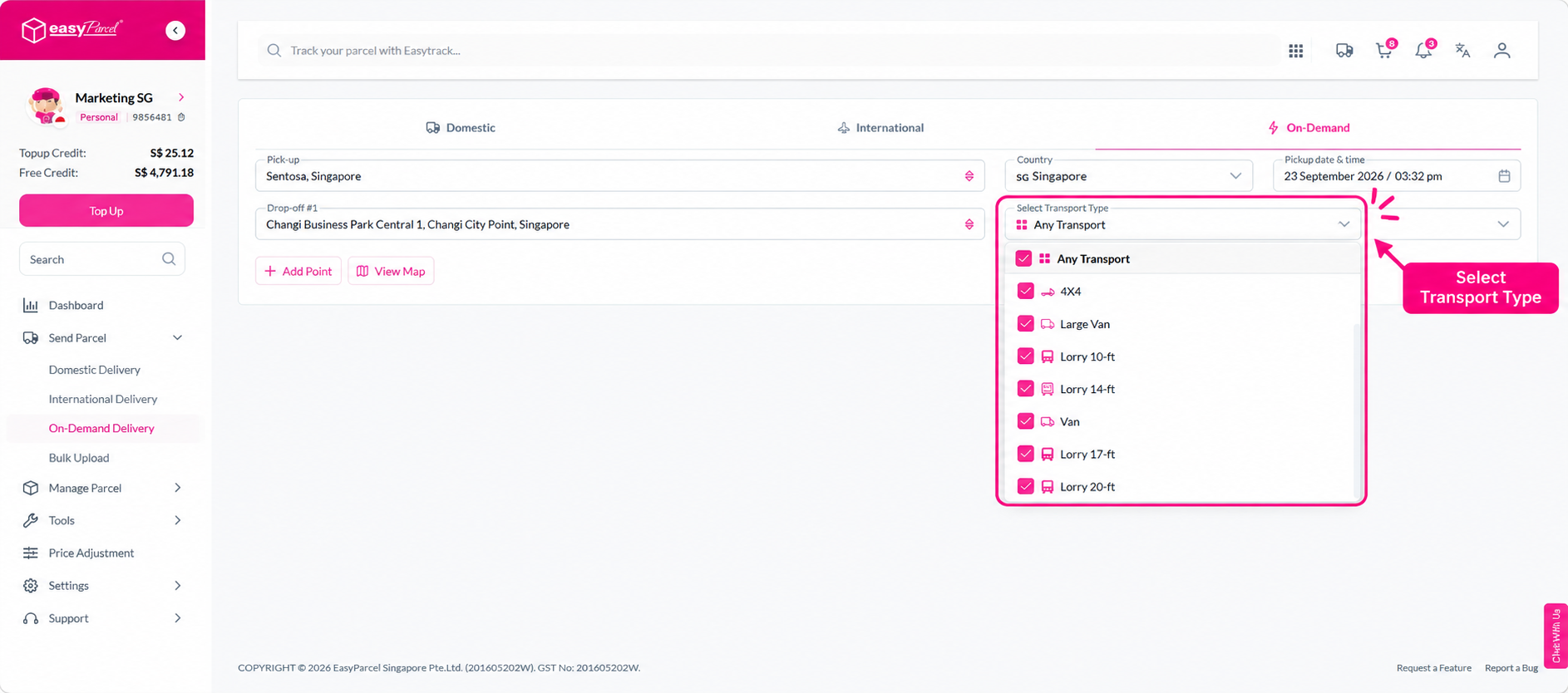
Step 4: Click Quote to view available courier options.
Step 5: Select multiple courier services to activate Express Driver Finder, then proceed with the booking.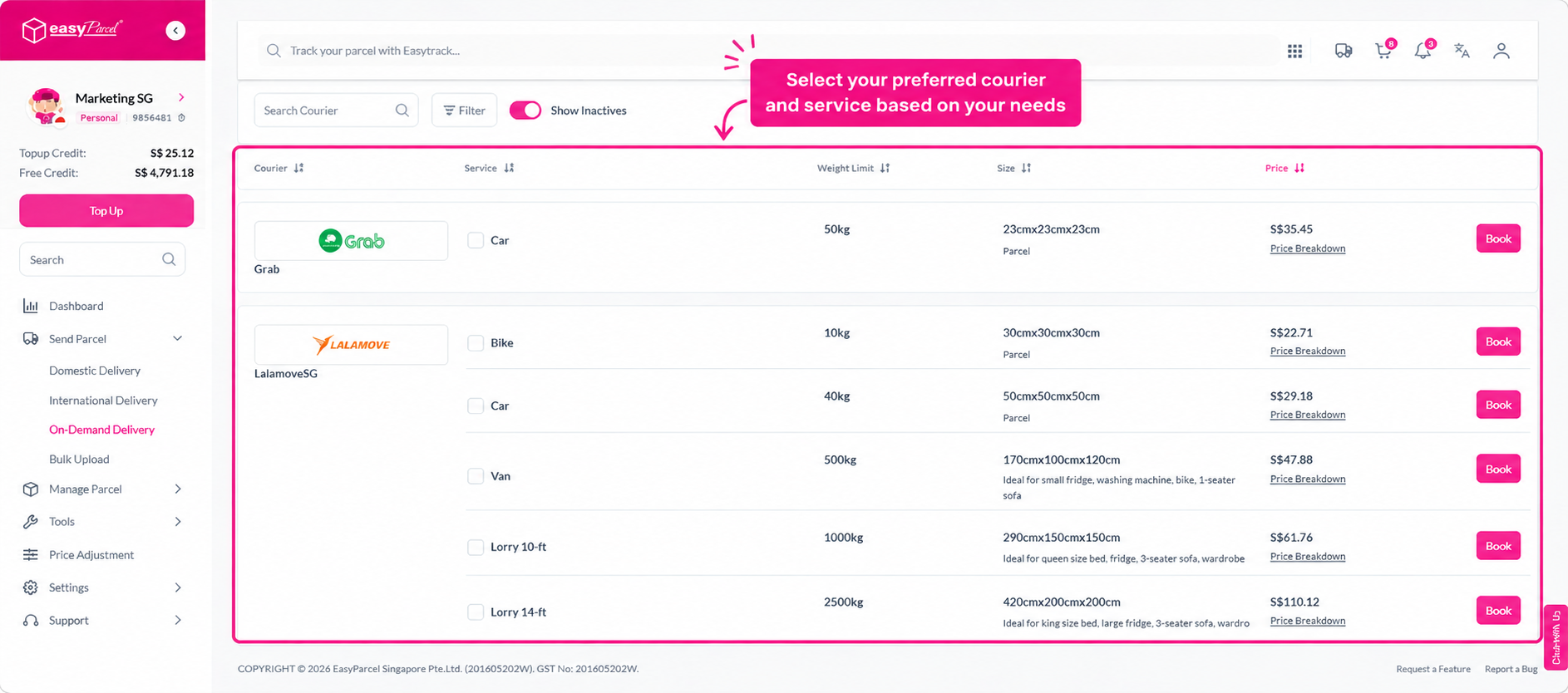
Step 6: Fill in your pick-up address, contact number, and parcel details.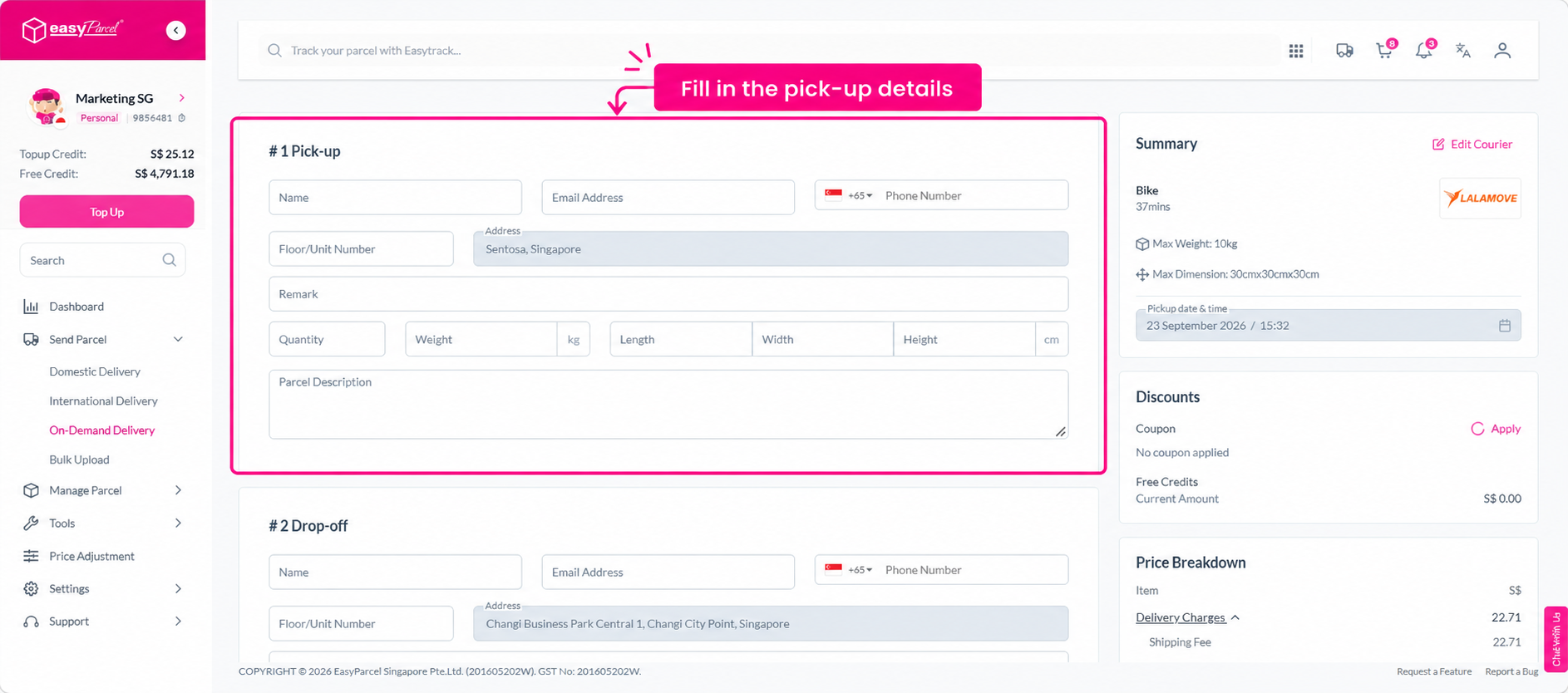
Step 7: Fill in your drop-off address, contact number, and parcel details.
Note: On-demand delivery supports up to 10 drop-off points. Parcel details are required for each drop-off location.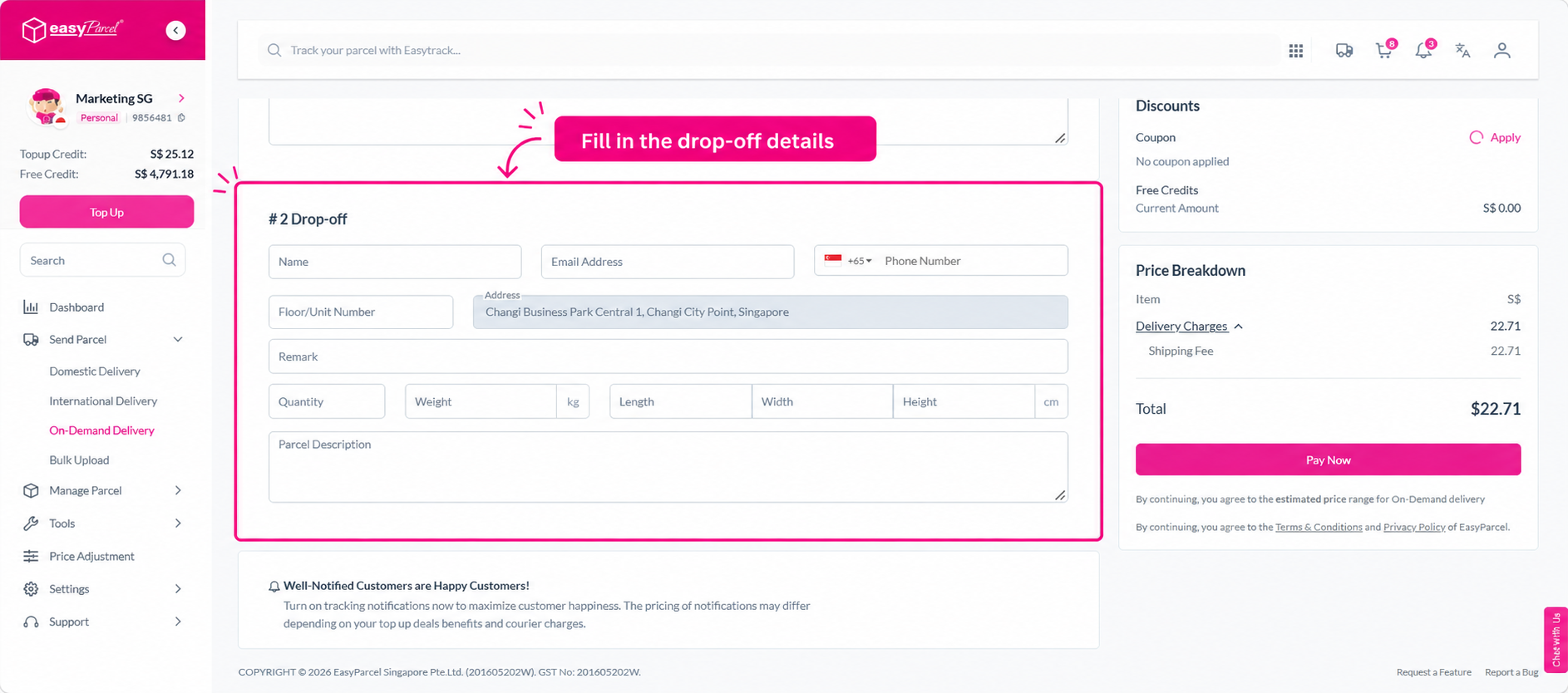
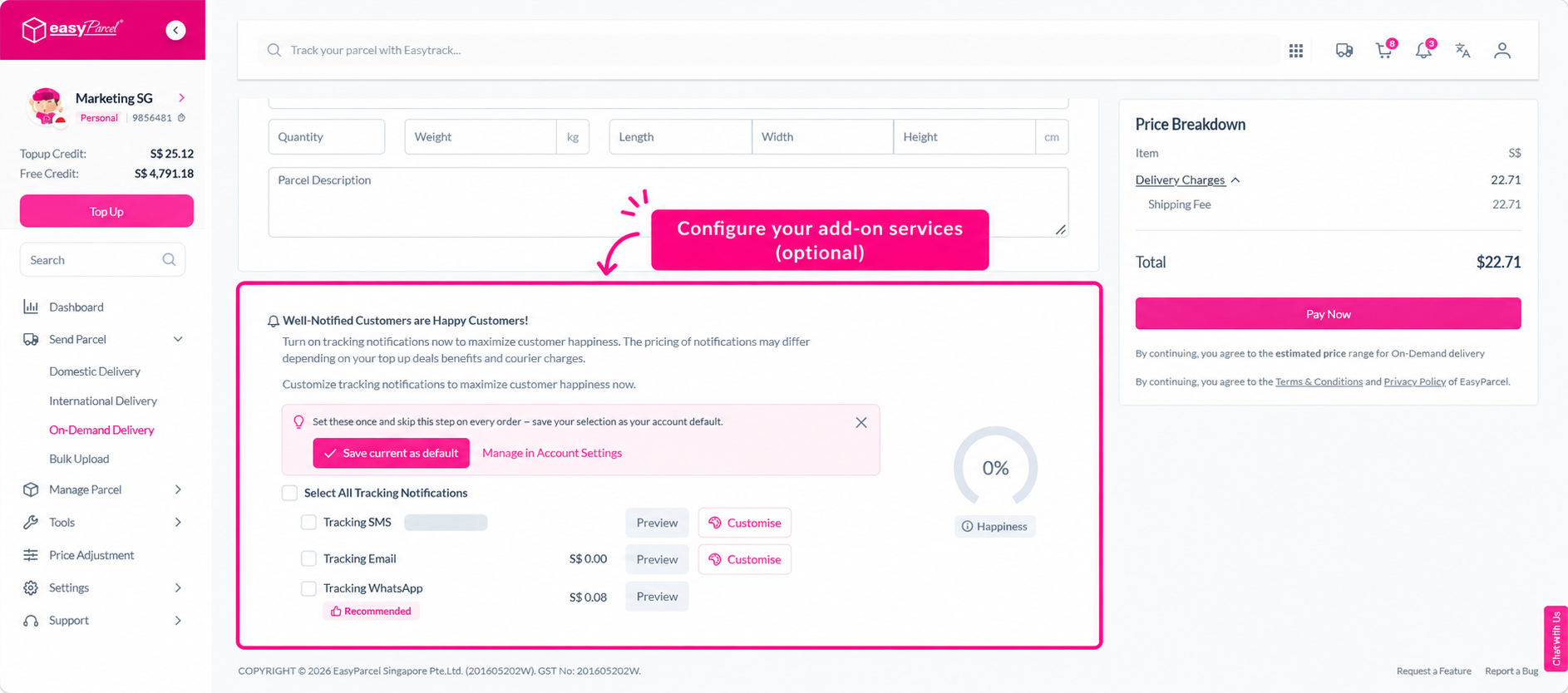
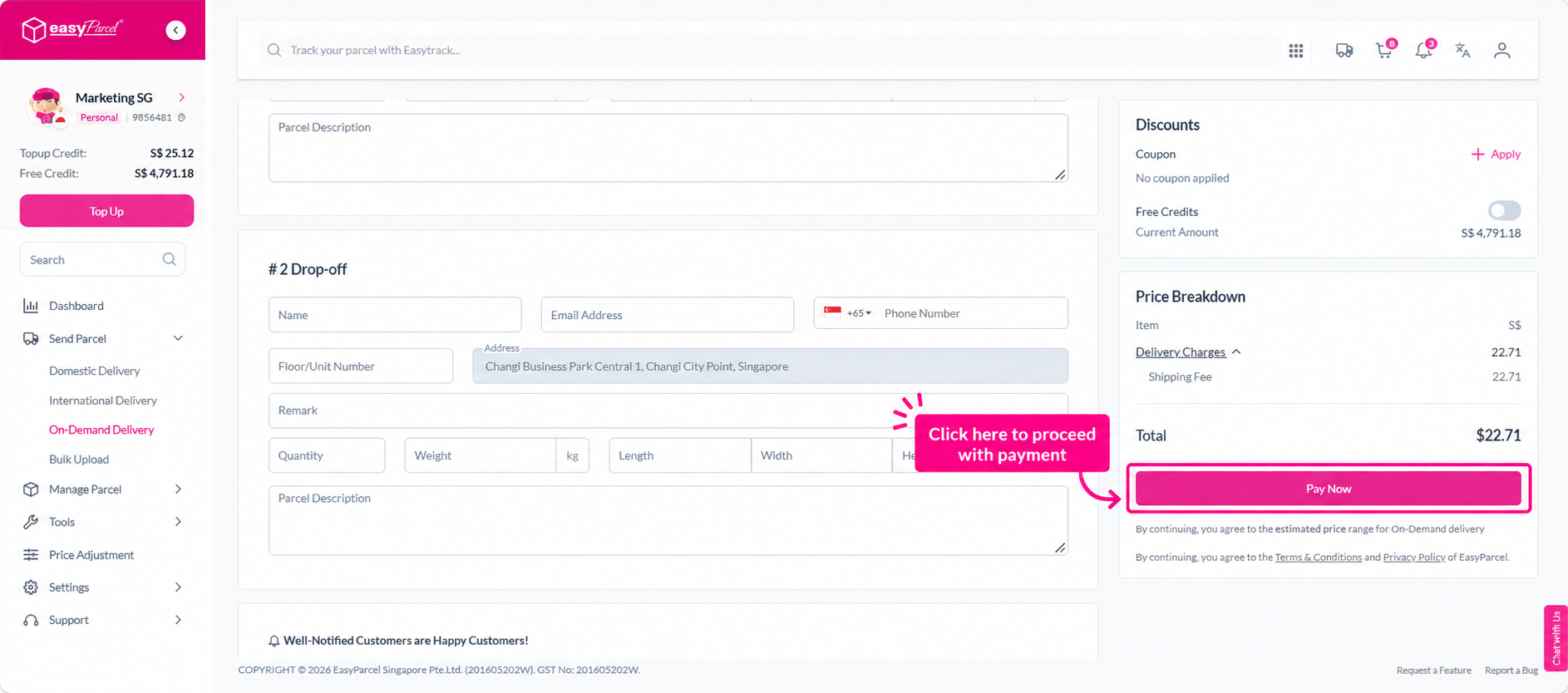
Step 8: Configure any add-ons if needed, then click Pay Now to complete your booking.