
Quick Summary
To book an on-demand delivery on your phone, open the EasyParcel SG app and tap the "box" icon or "Send Parcel" button, then select "On-Demand Parcel". Enter your pickup and drop-off locations using the map, choose your preferred pickup time (Now or Later), and select a courier such as Grab or Lalamove. Complete your checkout using EasyParcel credit. This is a paperless service, so simply write the receiver’s details and order number on the parcel—no printing required.
Having an urgent document or gift need to be delivered within the same day? Count on our fast, convenient, and affordable on-demand door-to-door delivery service. Here's how you book for it on EasyParcel Mobile App!
We'll Cover:
Important: Please note that for on-demand delivery, only EasyParcel credit can be used for payment. Instant Pay is not available for this service.
Step by step tutorial for On-Demand Delivery service on EasyParcel Mobile App
Step 1:Click ‘Send Parcel‘ button or click ‘box’ icon at the bottom to book shipment.

Step 2: Click ‘On-Demand Parcel‘ button to book On-Demand Delivery.


Step 5: Click “Courier Service” to proceed with courier selection. Then click “Checkout Now” to proceed with payment.


Note:The On-Demand delivery is a paperless delivery, thus no Air Waybill (AWB) is needed. Sender only needs to write down the receiver's details, such as name, contact, and parcel content on the parcel itself.
Once payment is successfully paid, you may track your On-Demand parcel in real-time to see your parcel progress.
Which couriers available for single drop off point delivery service?
- Grab On-Demand
- Viamove 8 hours services**
- Viamove 4 hours services**
**Viamove 8 hours service: The order that booked between 12am-8:50am, driver will perform parcel collection and delivery within 10am-6pm on the collection date.
**Viamove 4 hours services: The order that booked between 12am-9:50am, driver will perform parcel collection and delivery within 11am-3pm on the collection date, while the order that booked between 9:50am-12:50pm, driver will perform parcel collection within 2pm-6pm on the collection date.
Note for Viamove On-Demand Delivery: If shipment has been booked and there’s no driver available 1.5 hours before the end of the scheduled timeslot, that booked shipment will automatically be canceled and refunds will be made into your EasyParcel account/ via payment gateway to source of payment. Kindly include order number, parcel content receiver name, contact and address on the parcel.
Note: Parcel collection will depend on driver availability. Shipments that failed to assign to driver only able to cancel and refund.
Refer to the attachment below to identify where you can find the order number.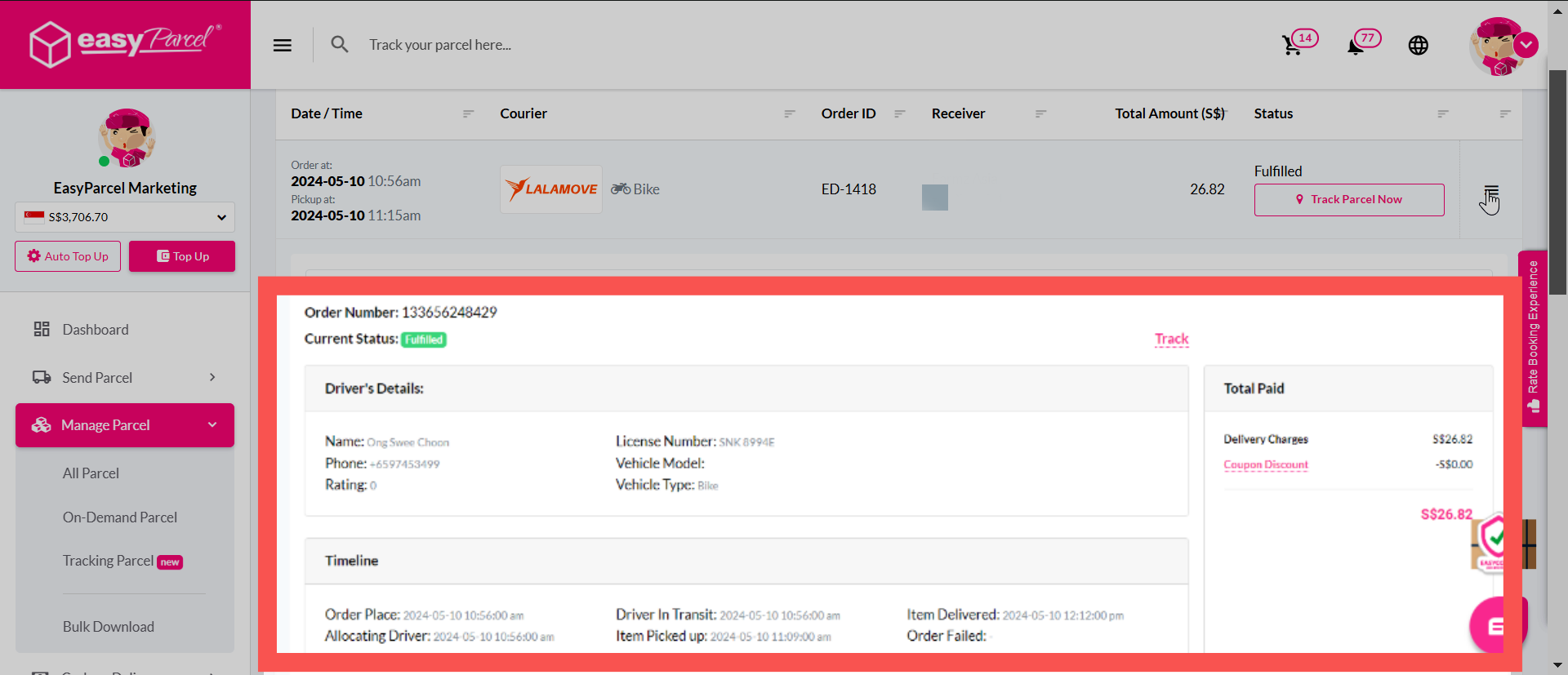
Which couriers available for multiple drop-off point delivery service?
- Grab On-Demand
- Viamove On-Demand
- uParcel On-Demand
- Lalamove On-Demand
- PandaGo On-Demand