Quick Summary
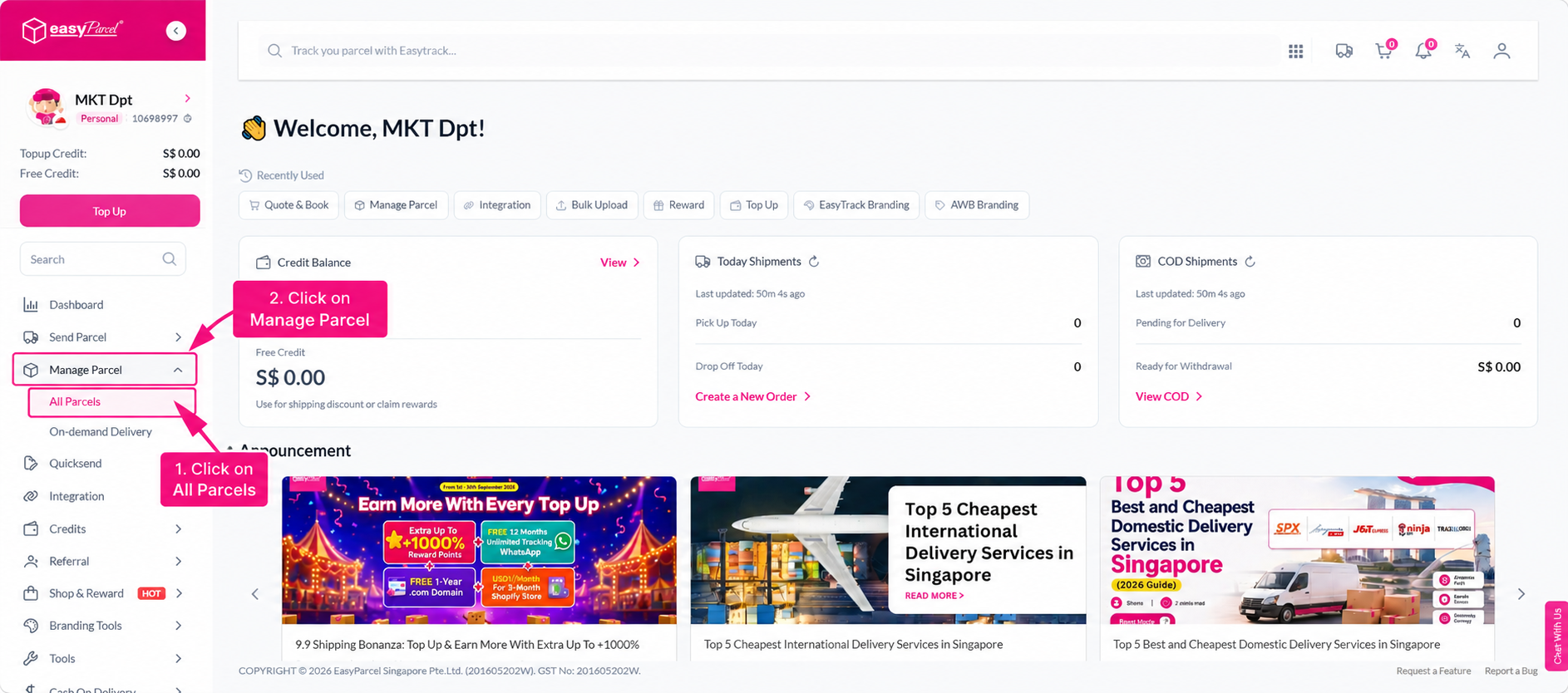
To create a shipment, click Send Parcel from your dashboard and select a delivery type (Domestic, International, or On-Demand). Enter the pickup and delivery postcodes and parcel weight, then select your preferred courier and click Book. Fill in the sender and receiver details, parcel information, and any optional services, then select a pickup or drop-off date. Proceed to checkout and complete payment, then go to Manage Parcel > All Parcels to download or print your Air Waybill (AWB) and track your parcel.
New to EasyParcel? This guide walks you through creating a complete parcel delivery order on the EasyParcel portal, step by step.
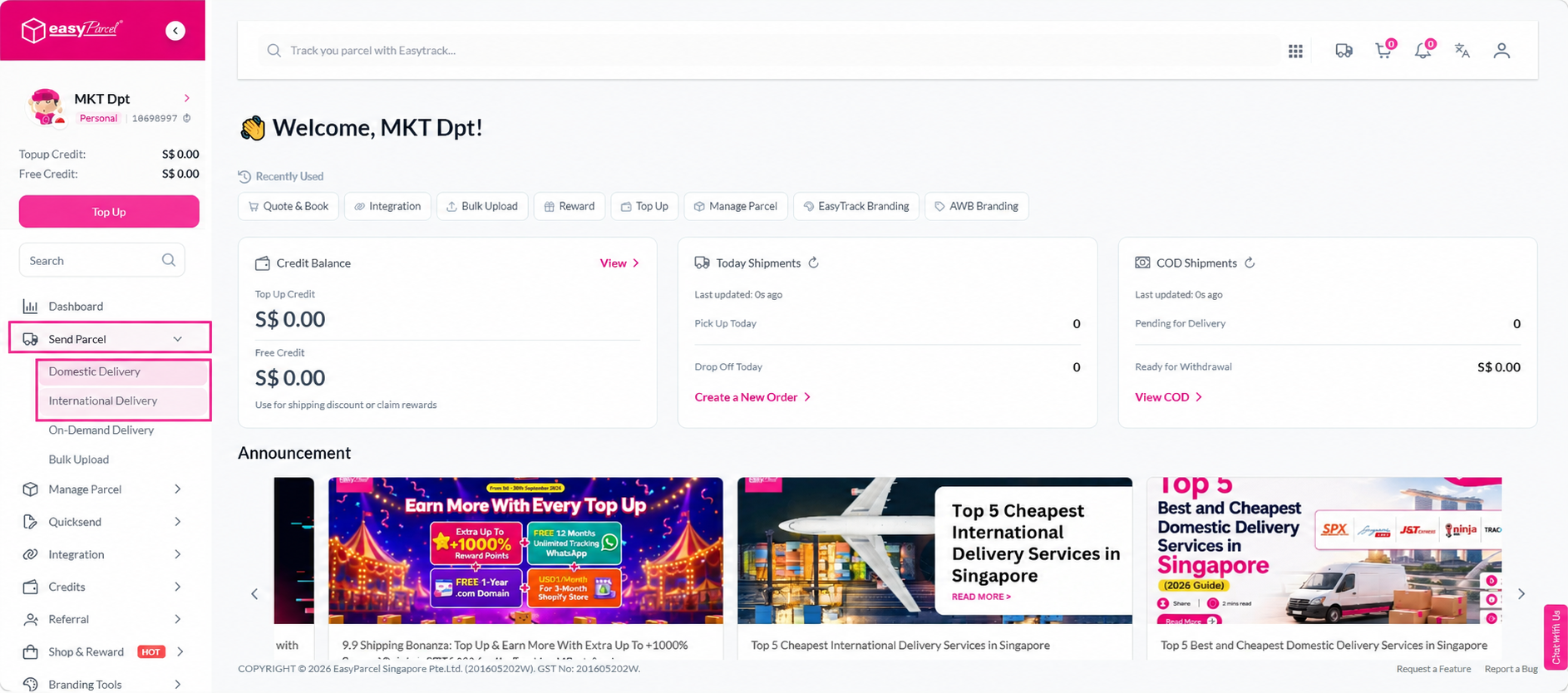
Step 1: Click on Send Parcel from your dashboard and select your delivery type: Domestic Delivery.
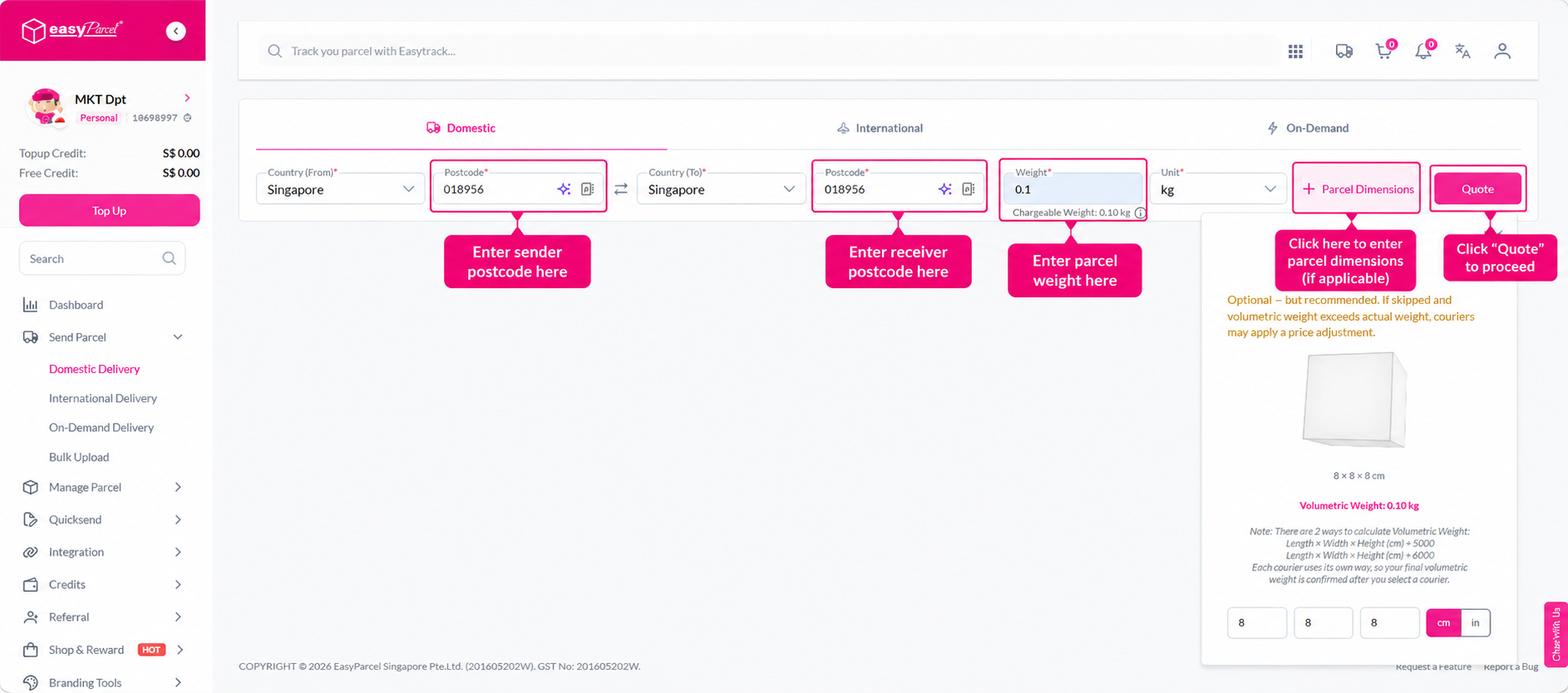
Step 2: Enter the pickup and delivery postcodes and the weight of your parcel. If you're unsure how to determine your parcel weight, you can learn it here. Available courier options will be displayed once the details are entered.
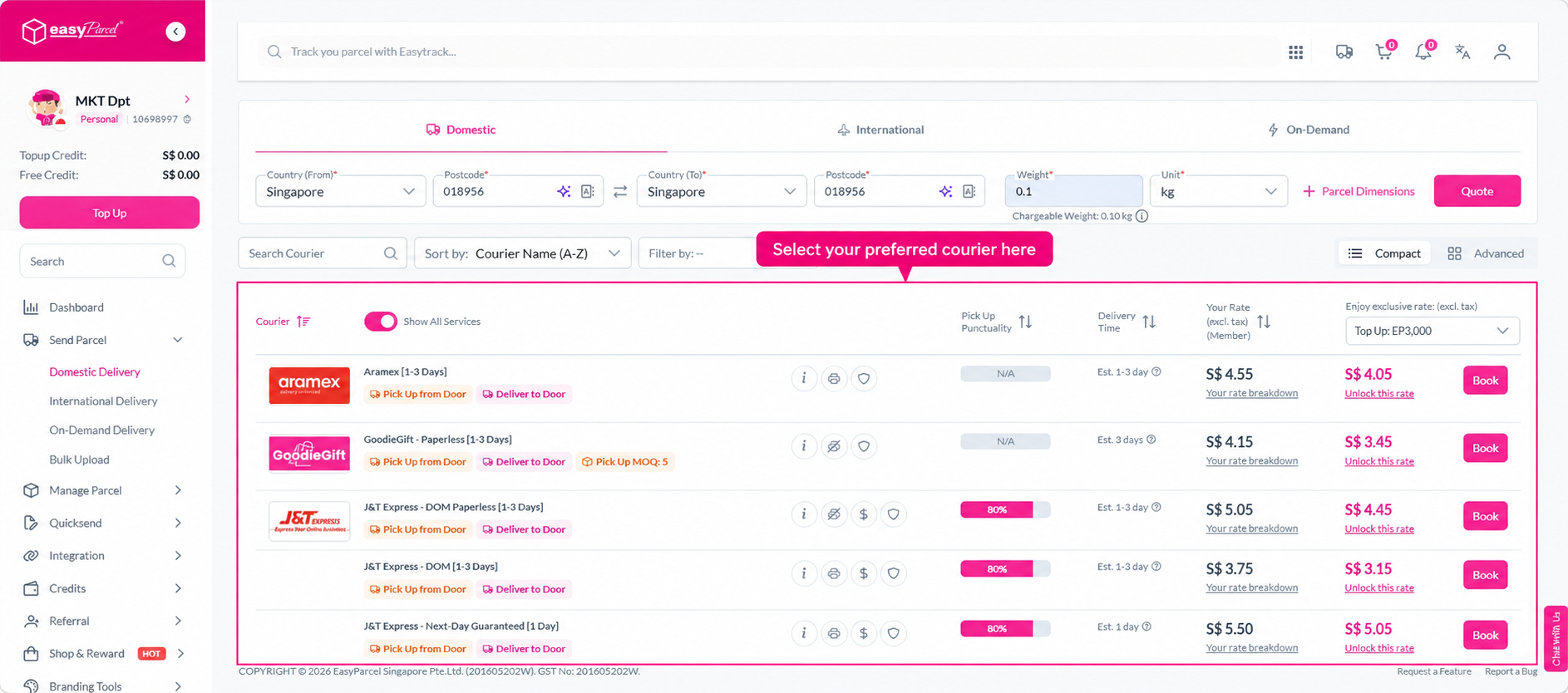
Step 3: Select your preferred courier and click Book.
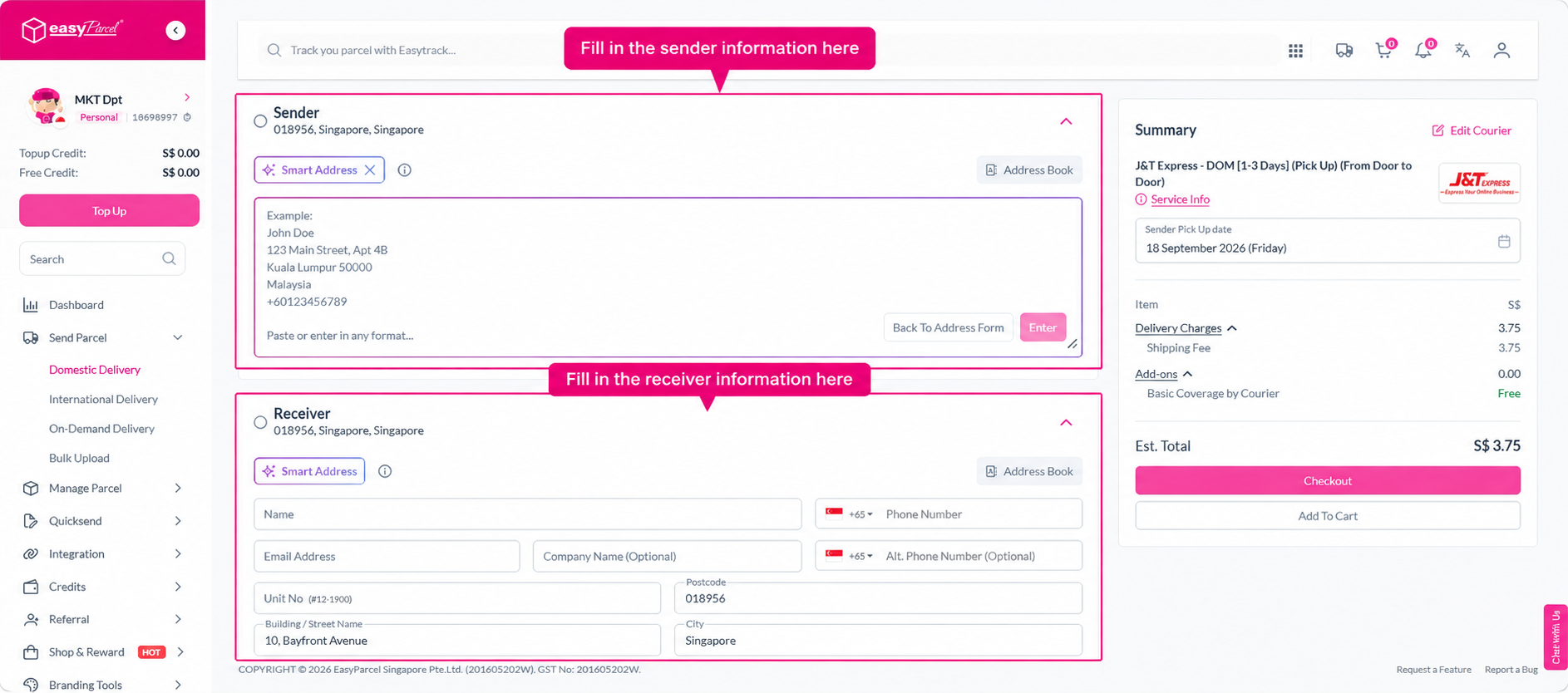
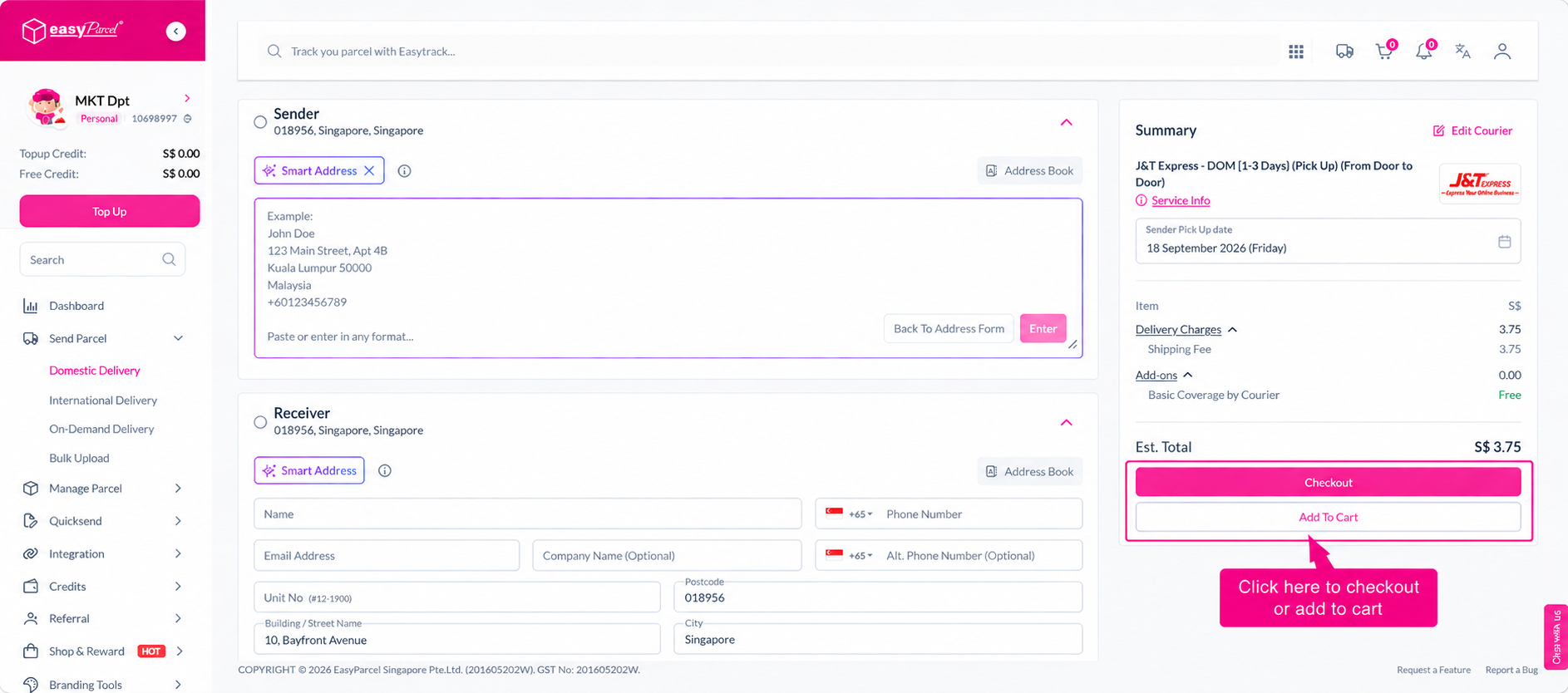
Step 4: Fill in the sender's and receiver's address and contact information.
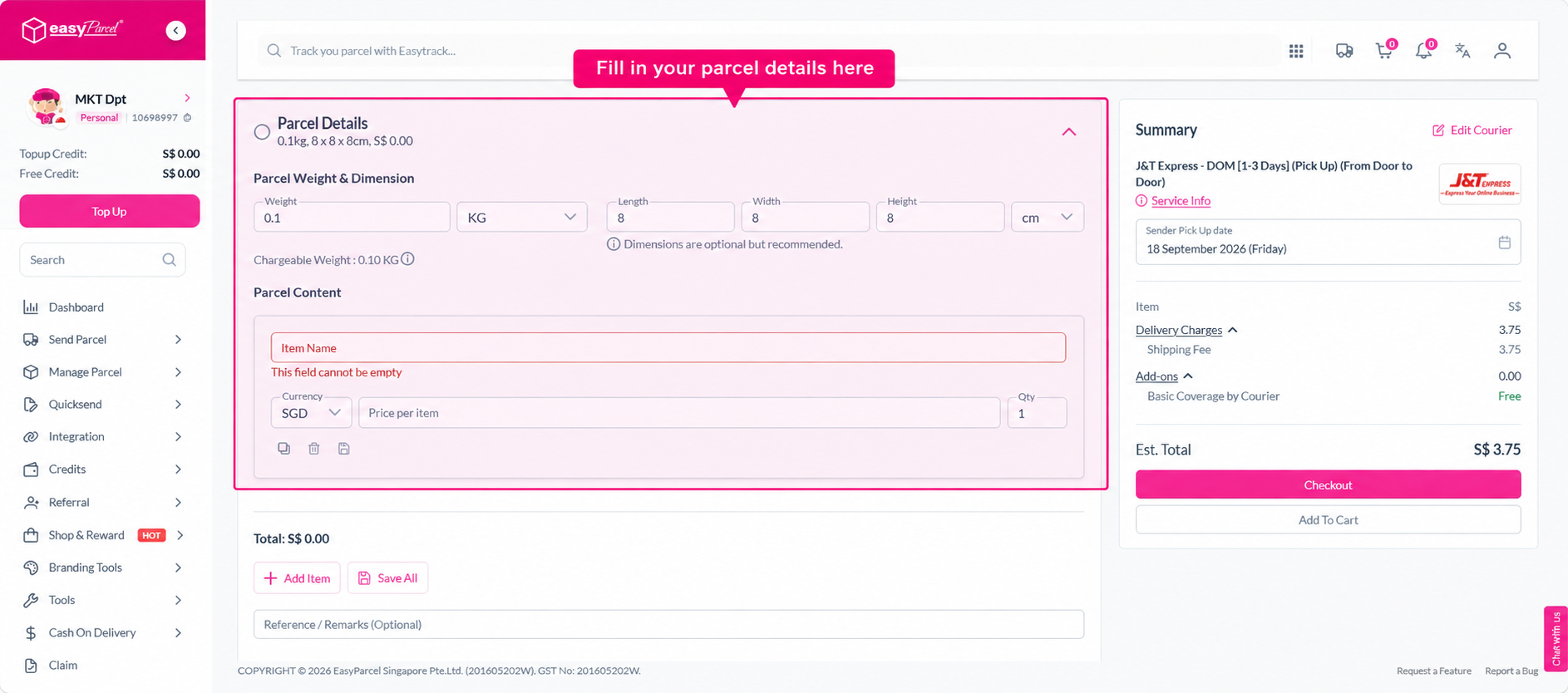
Step 5: Fill in the parcel weight, content, and value. You may also enter the parcel dimensions (optional but recommended for accurate pricing).
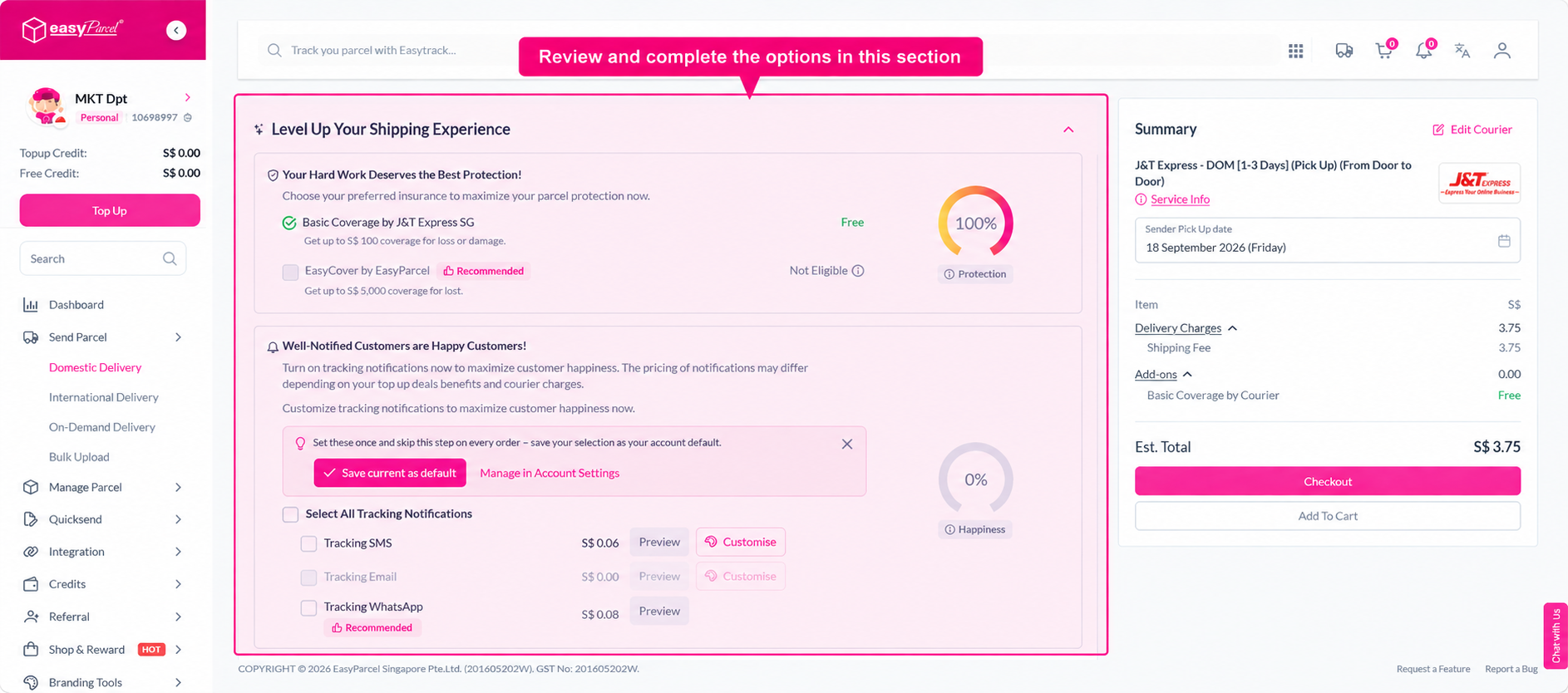
Step 6: Review any available optional services and select those that apply to your shipment:
- Parcel Coverage — Protect your parcel with insurance coverage.
- Marketing Tools — Access a range of marketing options to engage your recipients.
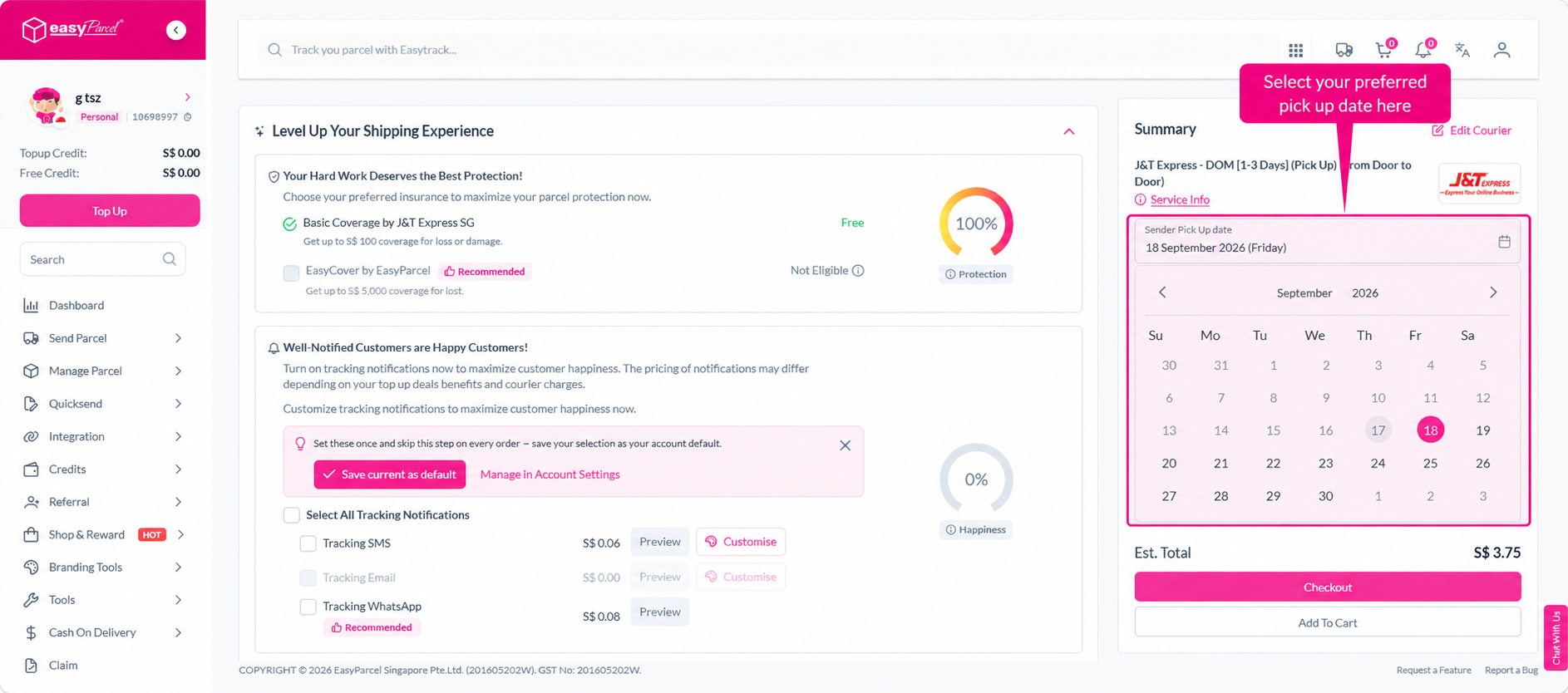
Step 7: Select your preferred pickup or drop-off date.
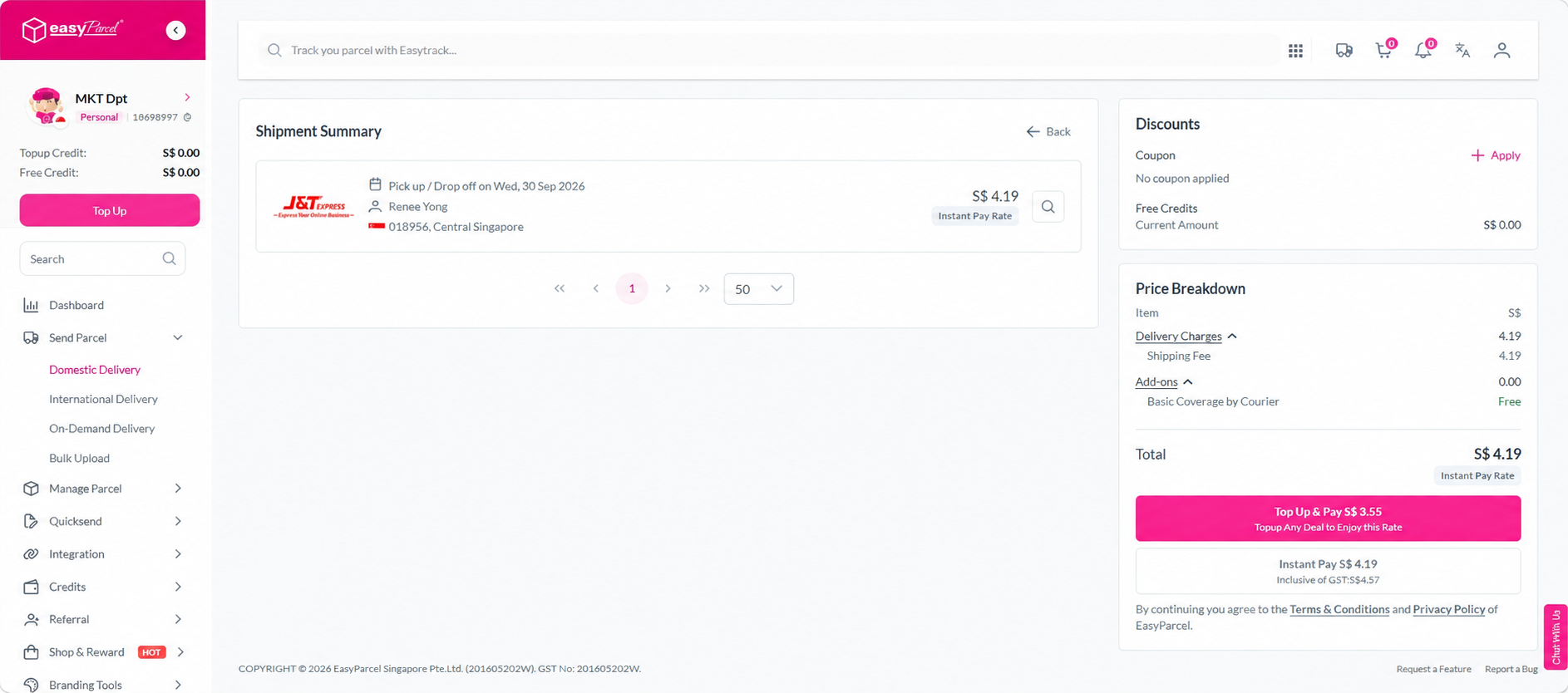
Step 8: Proceed to payment. For a single shipment, you can proceed directly to Checkout and complete payment via the available option (such as Instant Pay or Pay with Credits). If you would like to add more shipments before paying, click Add to Cart instead and check out when ready.
Step 9: Once payment is complete, go to Manage Parcel > All Parcels. Select your order(s) from the list, then click Download > Air Waybill to download in bulk, or click the printer icon to download and print the AWB for your individual shipment. You can also track your parcel from this page.